.png)
What is an 'Info Text' field?
Please note that the following article shows functionality for the new version of our form editor (v2). If you are using our legacy form editor (v1), you can still follow the steps in the article below, but the location and/or naming of the options noted may be different. If you wish to switch to the new version of our editor, please contact us at getregistered® support.
The purpose of the 'Info Text' field is to add any important information that requires the attendee to read before they continue with their registration - for example, this could be detailing the property providing accommodation and the rooms on offer, or a specific set of meetings or activities you wish to make the attendee aware of.
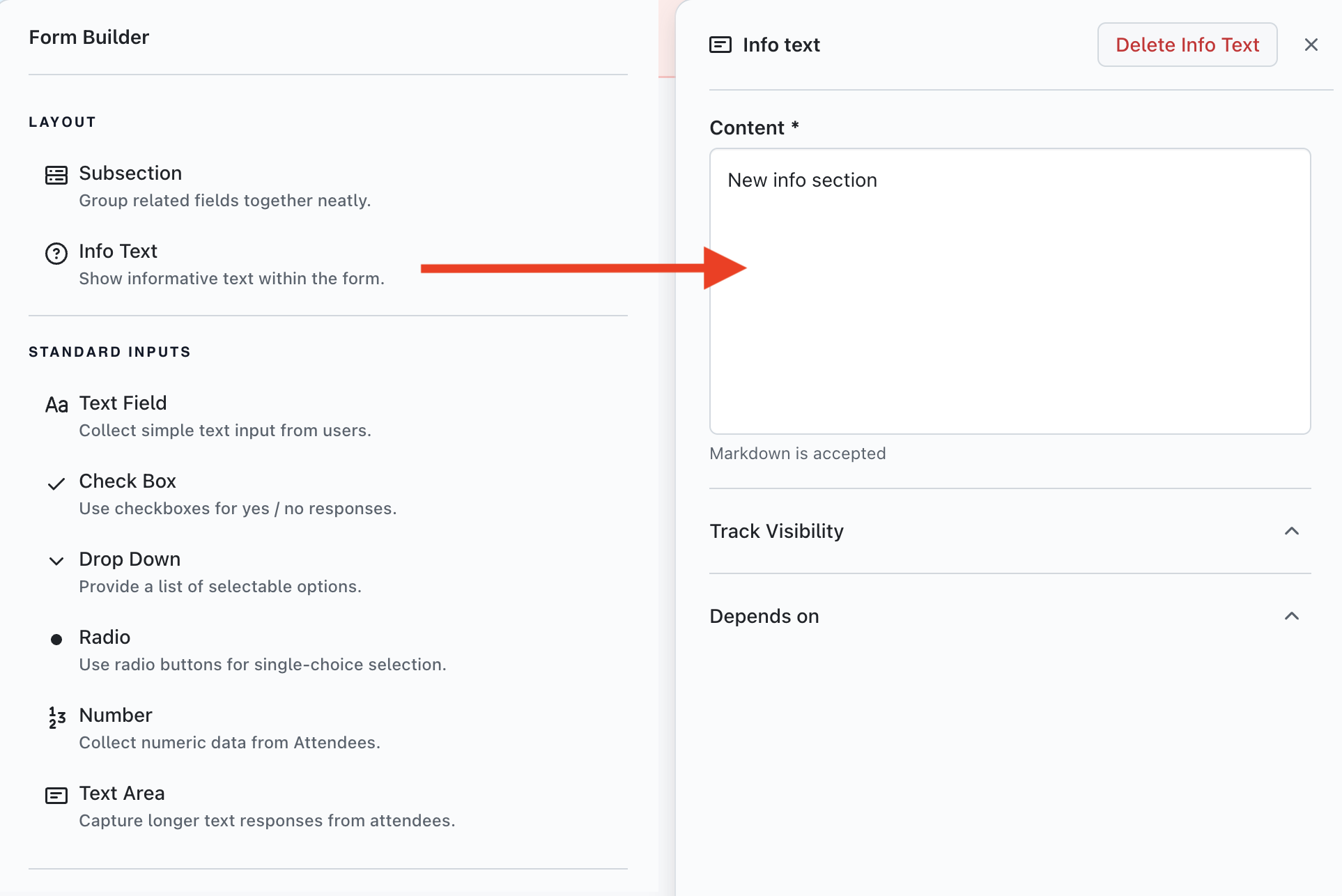
To add an 'Info Text' field to your registration form, first ensure that you have the correct Section selected by clicking on the Section name displayed on the left-hand column. Click on the 'Info Text' button on the 'Form Builder' column (right-hand side) and the new field will be displayed on your form in the center of the page. The new 'Info Text' field can be dragged and dropped into the order you would like it to appear if required.
If you wish to format the text displayed in your 'Info Text' field, you will need to use a form of text formatting called 'Markdown'. You can view more about how to use Markdown by reading this article in our Knowledge Base.