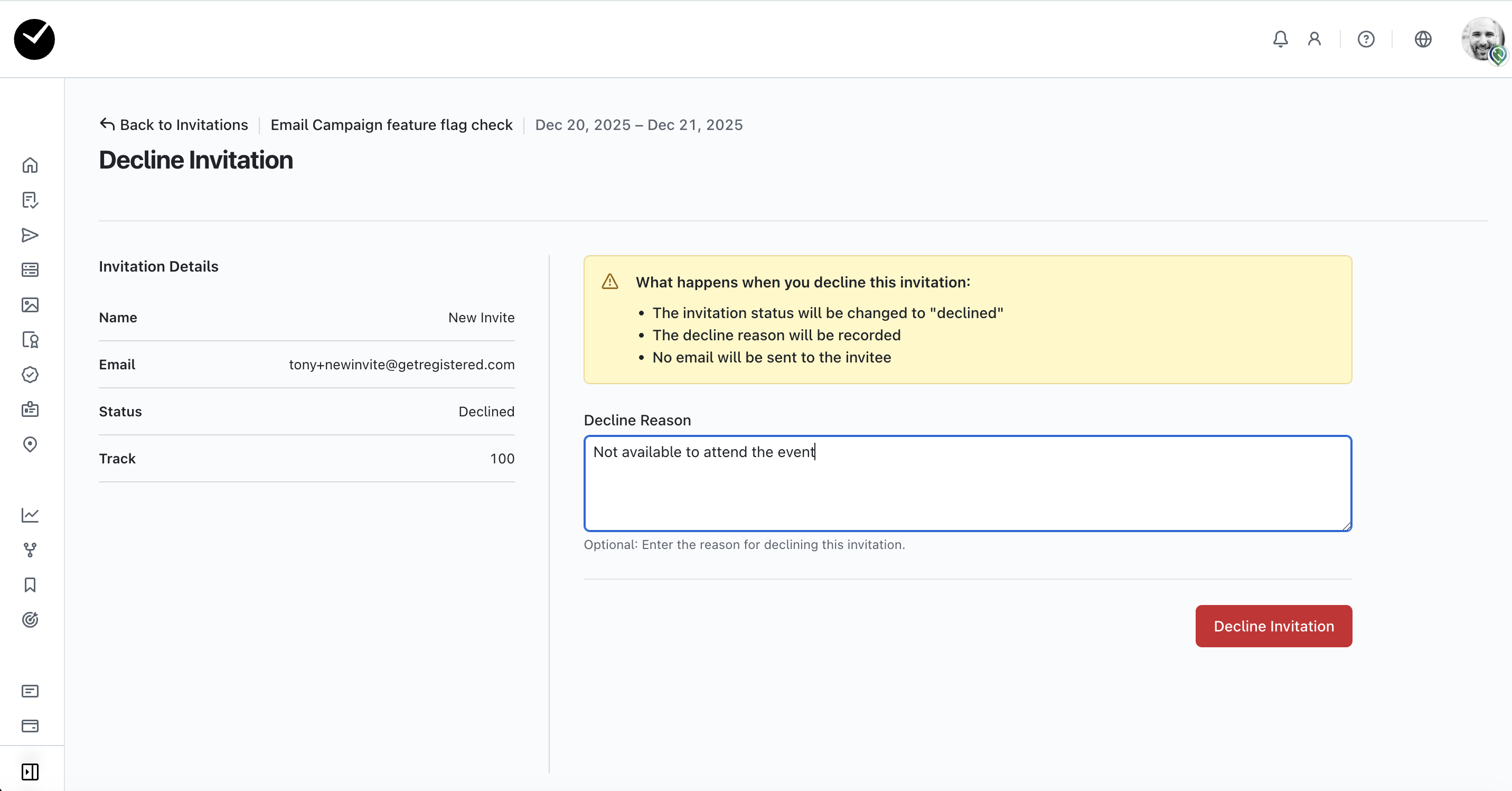
.png)
How do Invitation RSVPs work in getregistered?

In your 'Advanced' Event Settings tab, you have the option to 'Enable Invitation RSVPs', which means that guests can decline an event invitation and if required, provide a reason for their decline.
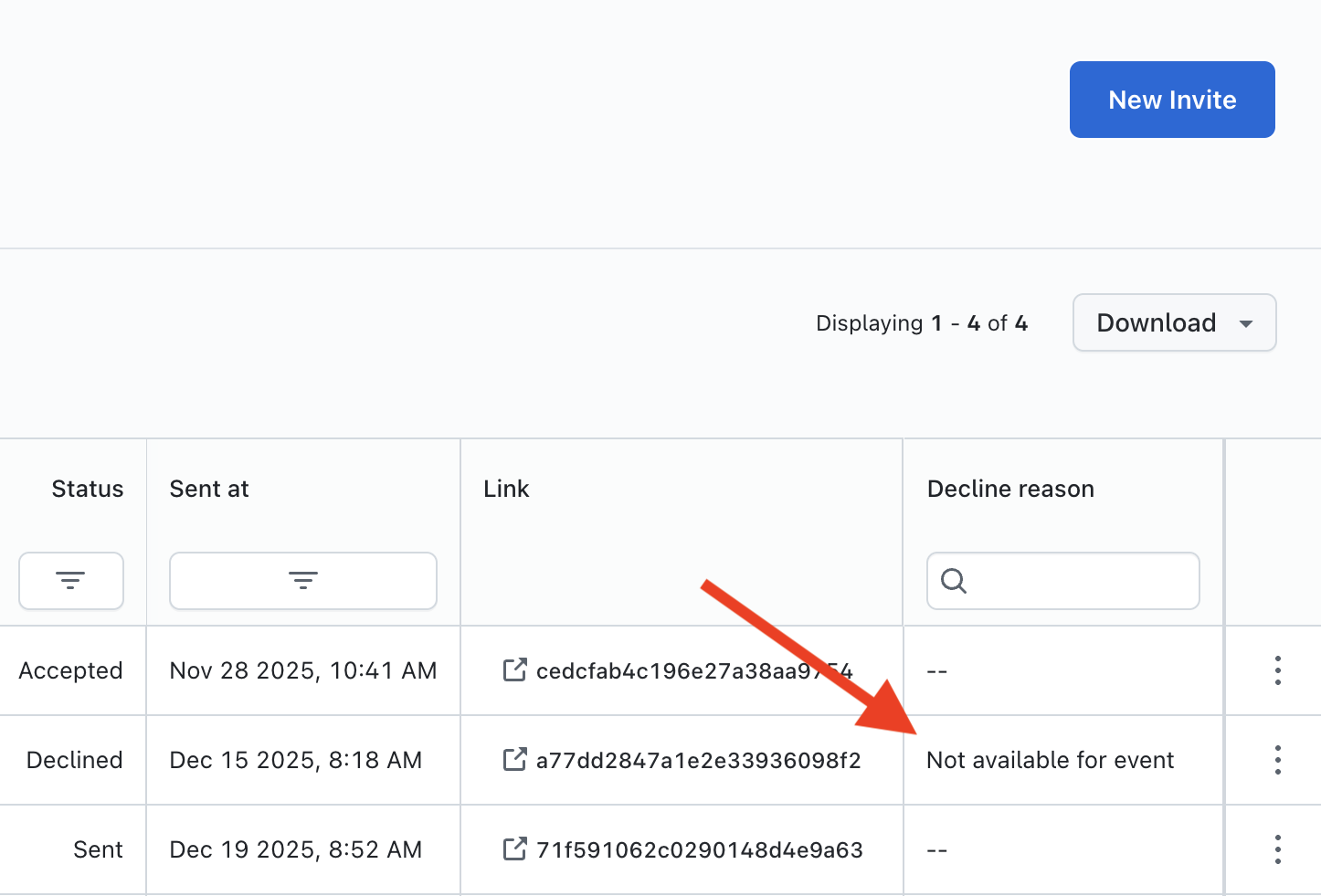
Within your admin area, you can view the Invitation status - and decline reason - from the Invitations area:
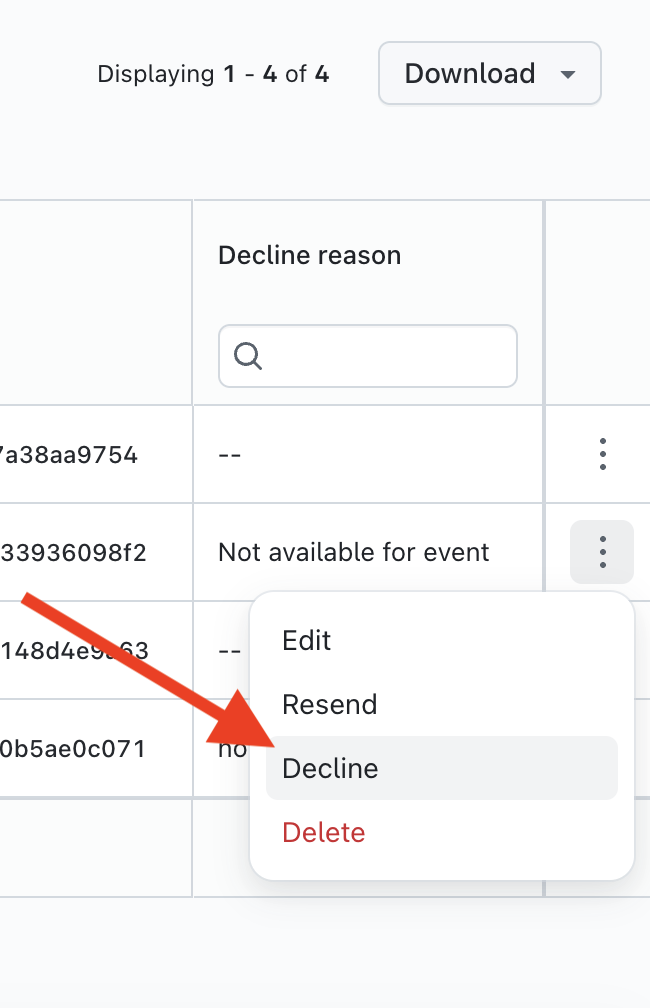
With Invitations RSVPs enabled, you can also set an attendee invitation to 'Declined' and add a decline reason directly from your Invitations grid.
Simply click on the 3 dots at the end of the invitations you wish to mark as 'Declined' and select the 'Decline' option:
On the following page, you will see the 'Decline Invitation' page - just enter the reason for declining if desired and click on the 'Decline Invitation' button, and the invitation status will be updated!