.png)
What is a 'Lead Scanner'?
Please note that the following article shows functionality for the new version of our form editor (v2). If you are using our legacy form editor (v1), you can still follow the steps in the article below, but the location, naming and availability of some options noted may be different. If you wish to switch to the new version of our editor, please contact us at getregistered® support.
When interacting with your Registration Form Editor, you will see the option 'Lead Scanner' available at the bottom of the Form Builder column (right-hand side of the page):
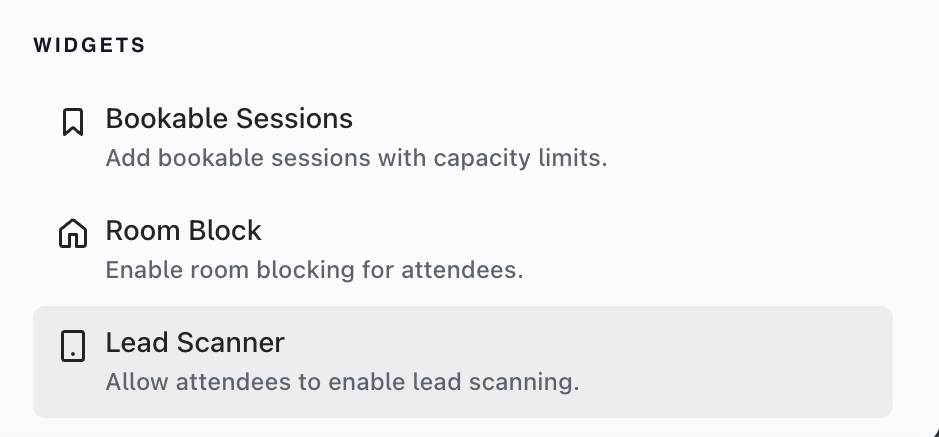
When selecting 'Lead Scanner', a checkbox will be displayed on your registration form that allows attendees to enable the feature when completing their registration.
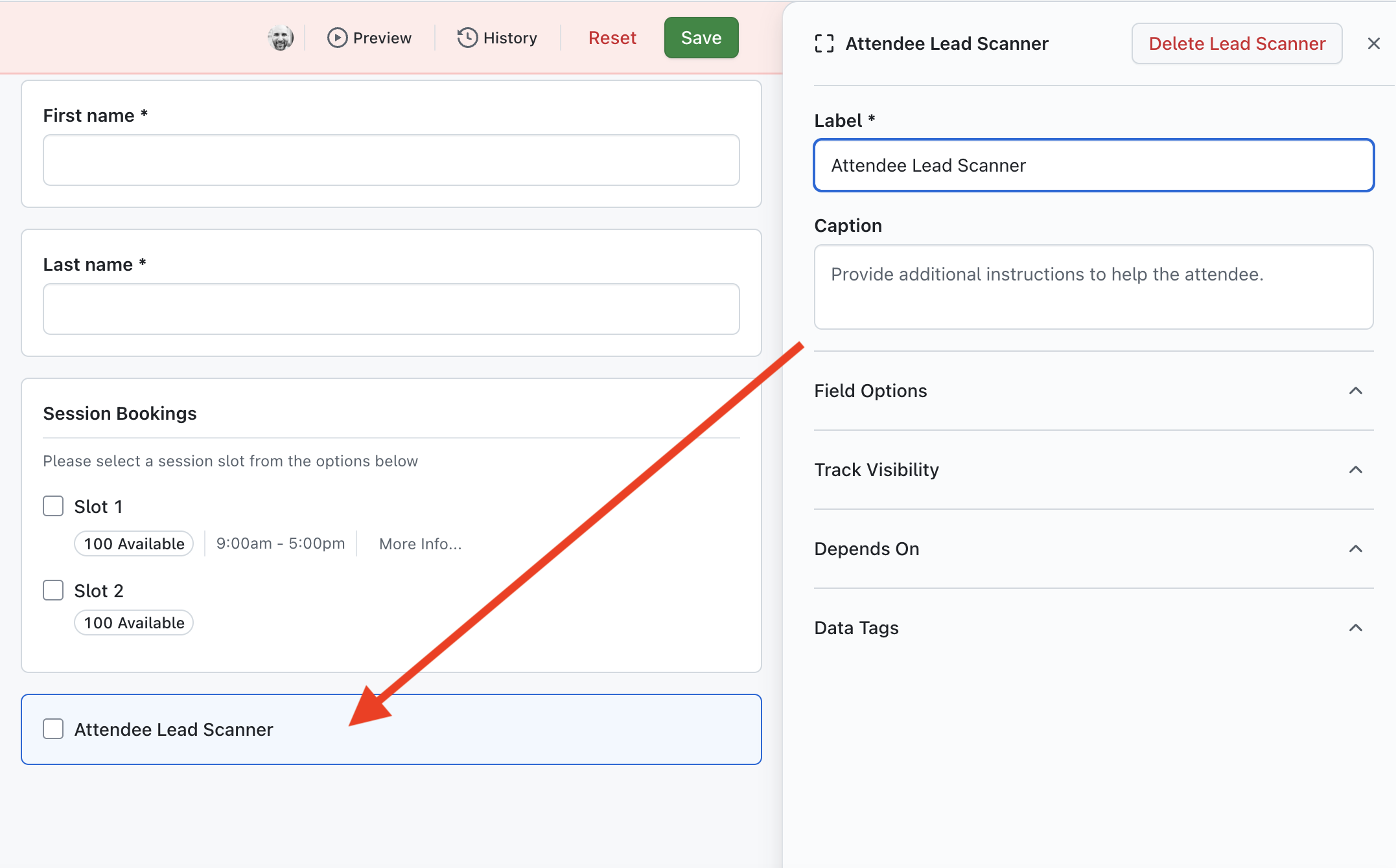
If an attendee selects to enable the Attendee Lead Scanner during registration, they will have the ability to scan other attendees QR codes during the event. Any attendees scanned with this feature be captured in a personalized report available to them on their registration 'show' page, that will allow them to follow up on any potential leads they may have made during the event. Please note that QR Codes must be enabled in your event for this feature to work!
For more information on how the Lead Scanner works for attendees, please refer to this article.
Is there any way I can see which attendees have scanned 'Leads'?
Yes - if you enter your 'Reports' area, you will see a tab labelled 'Lead Scans'. Click on the tab and you will see an overview of the number of leads scans made during your event:

If you click on the 'View' button, you can then see each individual 'scan' made by your attendees:

To view the attendees that have scanned/been scanned, click on the 3 dots displayed at the end of the row for the scan you wish to review, and you will see the options to 'View Scanned' and 'View Scanned By' - clicking on either option will take you to the registration 'show' page of the attendee type you selected (scanned/scanned by):
