.png)
How can I monitor my event 'Room Bookings'?
When interacting with your Event Dashboard, we provide you with a snapshot of the number of nights booked for your event at the top right of the page:

If you wish to retrieve more in-depth information on your room bookings, click on the 'Reports' tile from your dashboard:
In here, click on the 'Rooming Report' tab, and you will see the following reports available to you - 'Availability Report' and 'Booking Report':
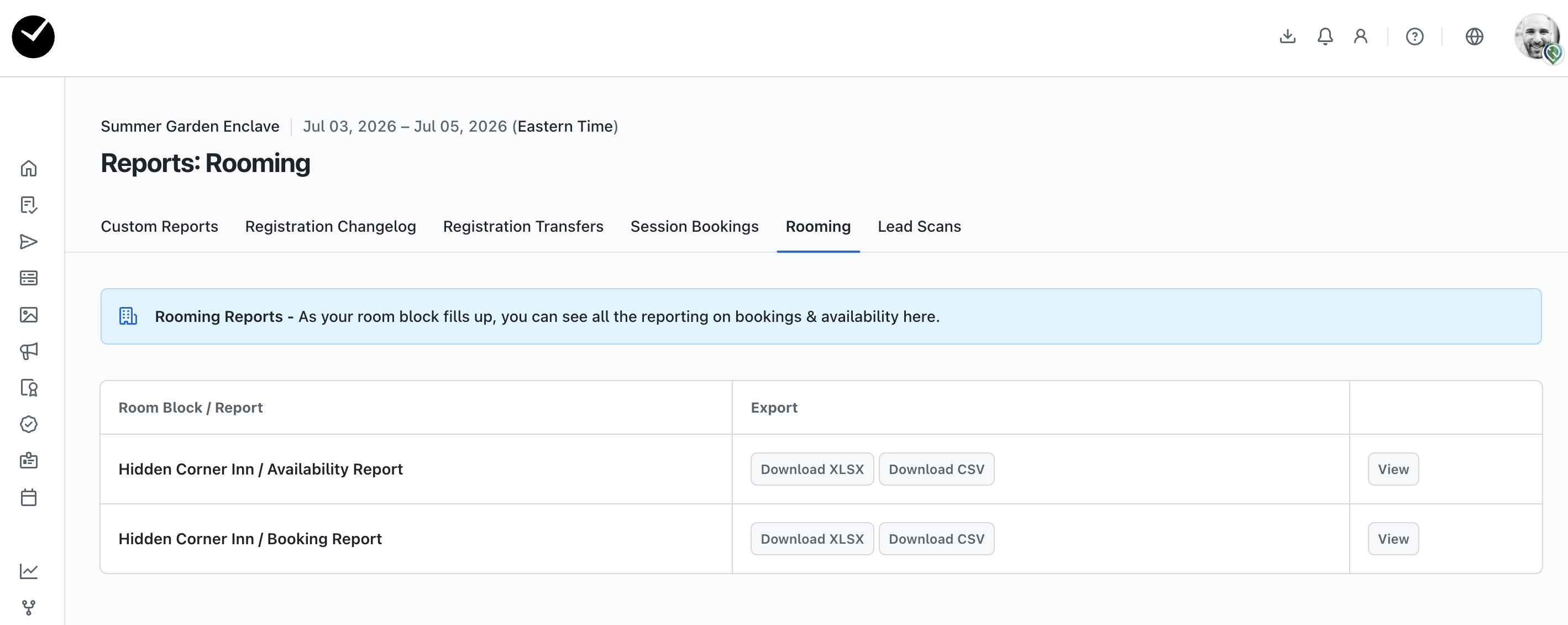
These reports are automatically configured for you to return all pertinent room booking information. If you wish to download a report for either 'Availability' or 'Booking' for offline use, simply click on the 'Download XLSX'/'Download CSV' option to download the report directly. If you wish to view either report, click on the 'View' button inline with the report you wish to view.
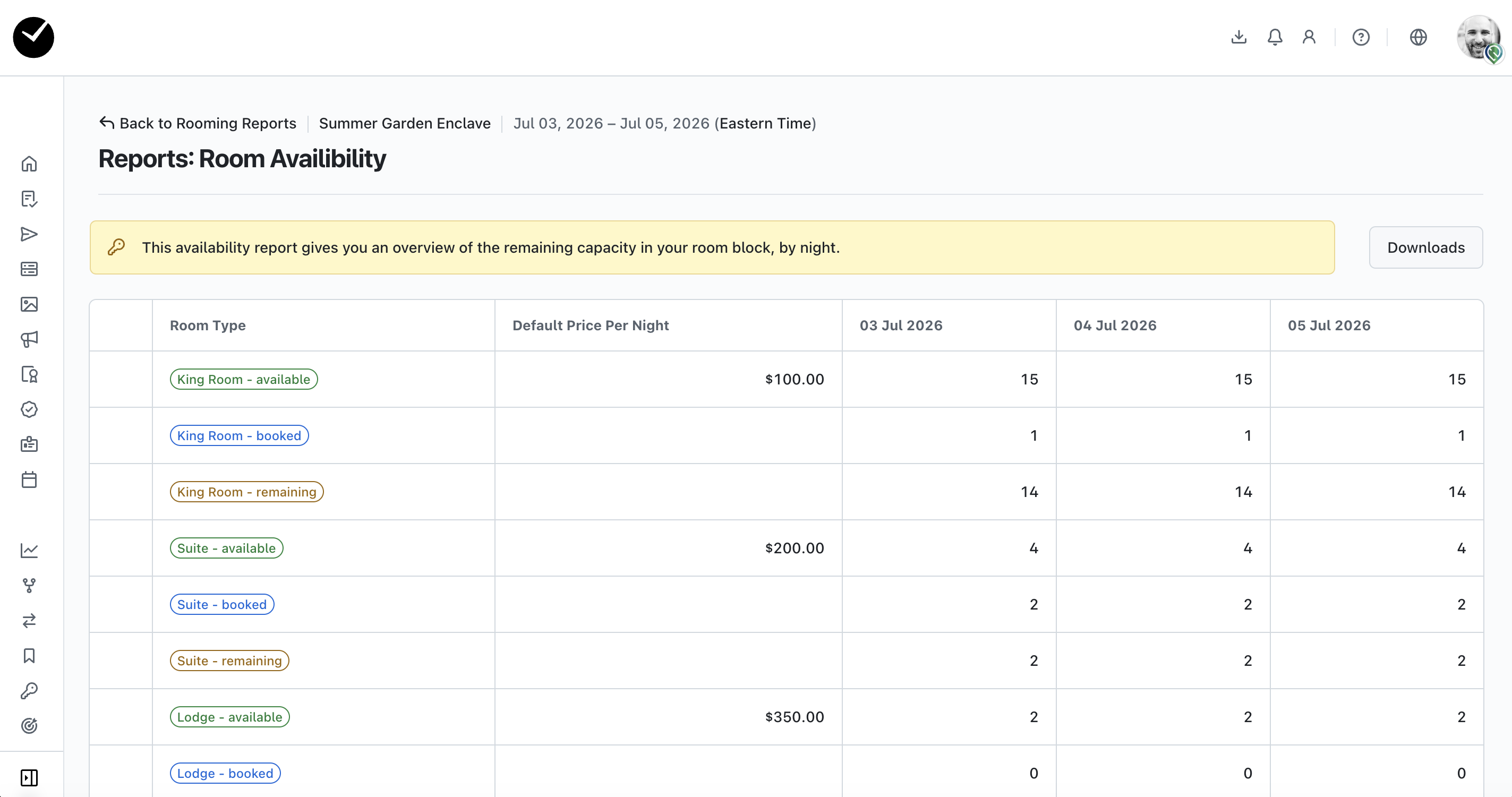
Availability Report:
Lists the current availability per night of each room type created on the registration form, grouped by 'Available', 'Booked' and 'Remaining'
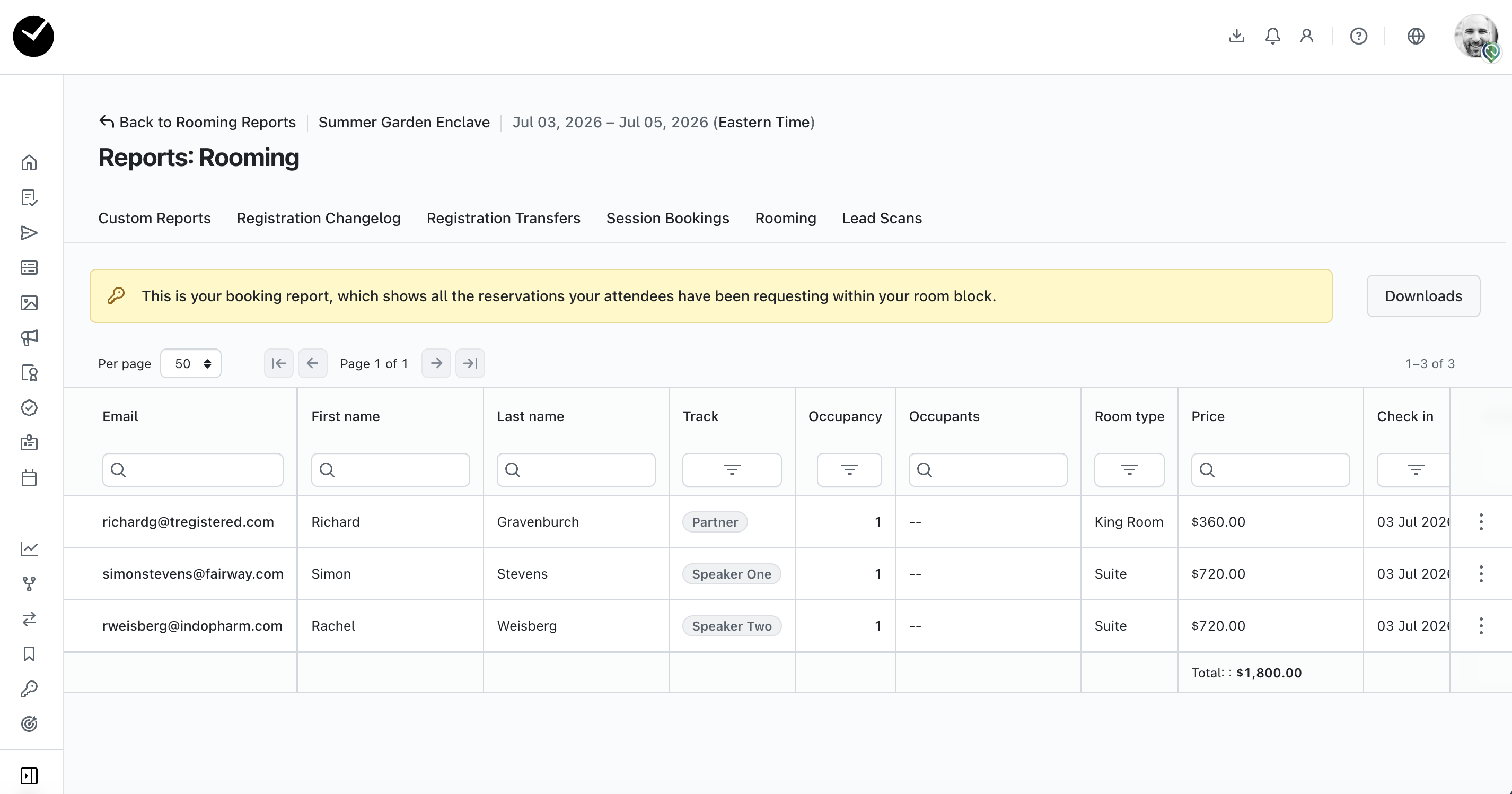
Booking Report:
Lists the current bookings per night for each attendee that has reserved a room booking for your event.