.png)
Can I add a map section to my event website?
Yes - as long as you have added a location in the 'Venue' area of your Event Settings, you can add a map section to your event website, that shows the location address and provides an external link to Google Maps to help with directions.
To enable 'Map' sections in your event website, go to your Event Settings and select the 'Venue' tab:
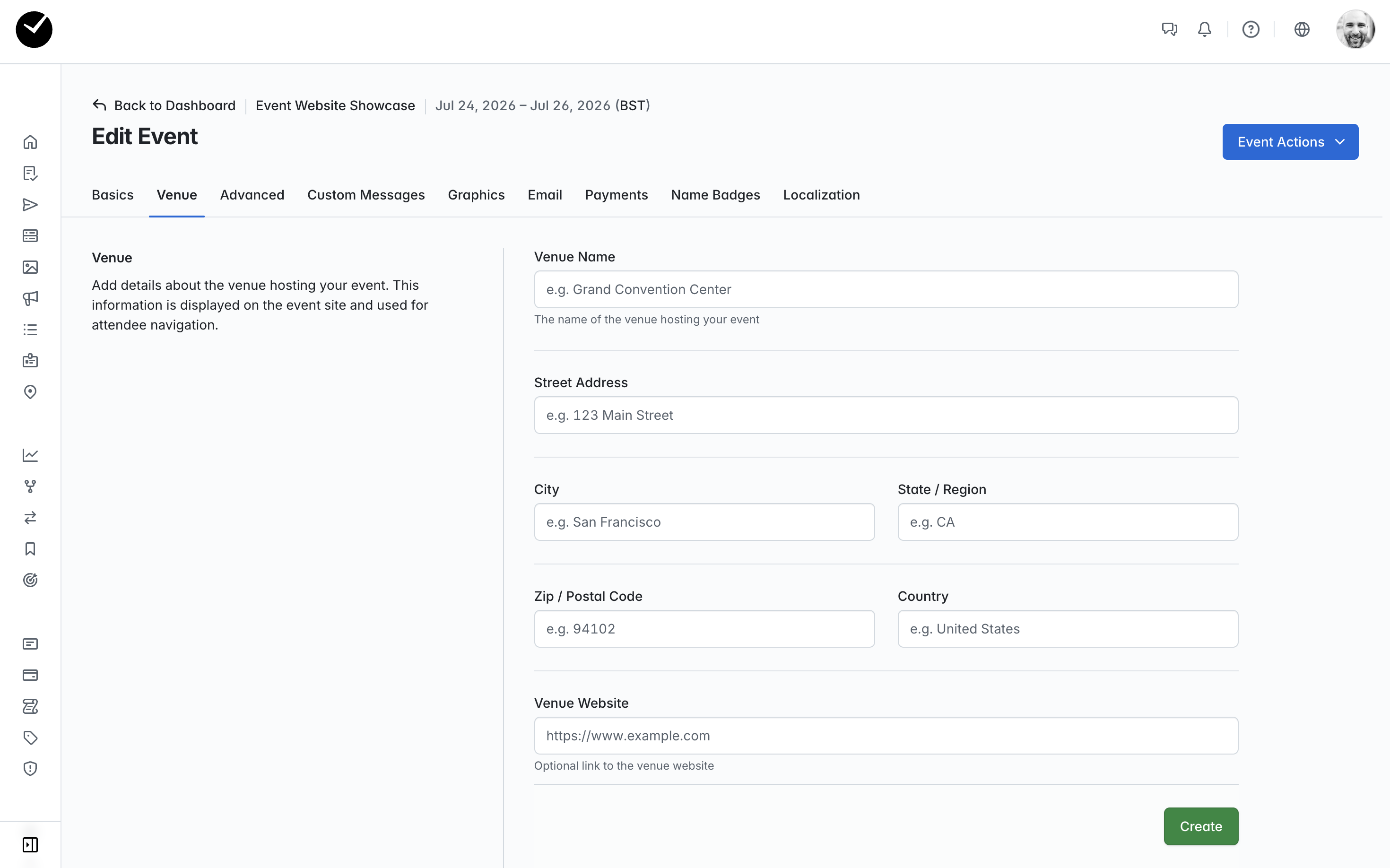
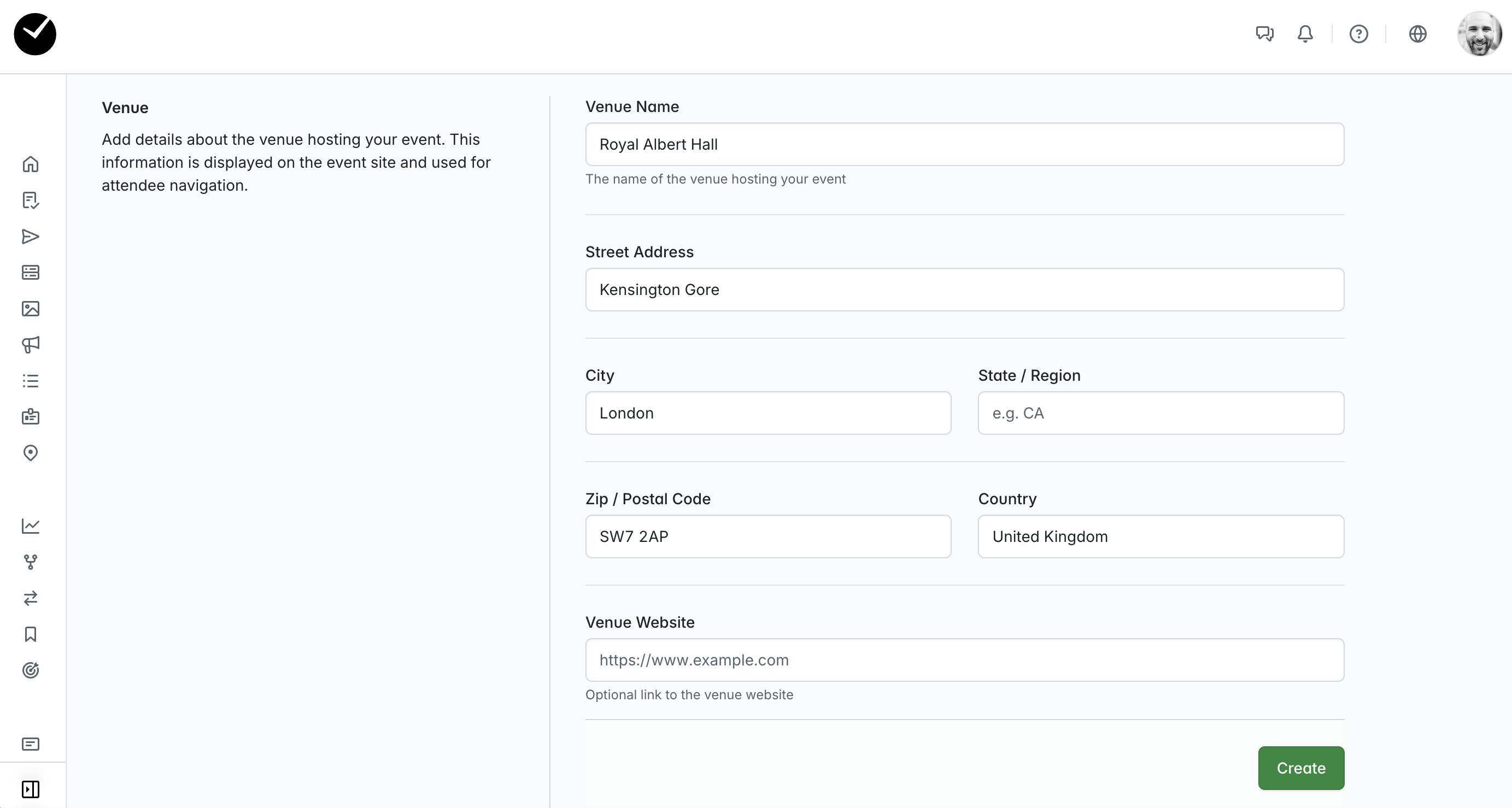
Next enter all the location details for your venue and select 'Create' to save your changes:
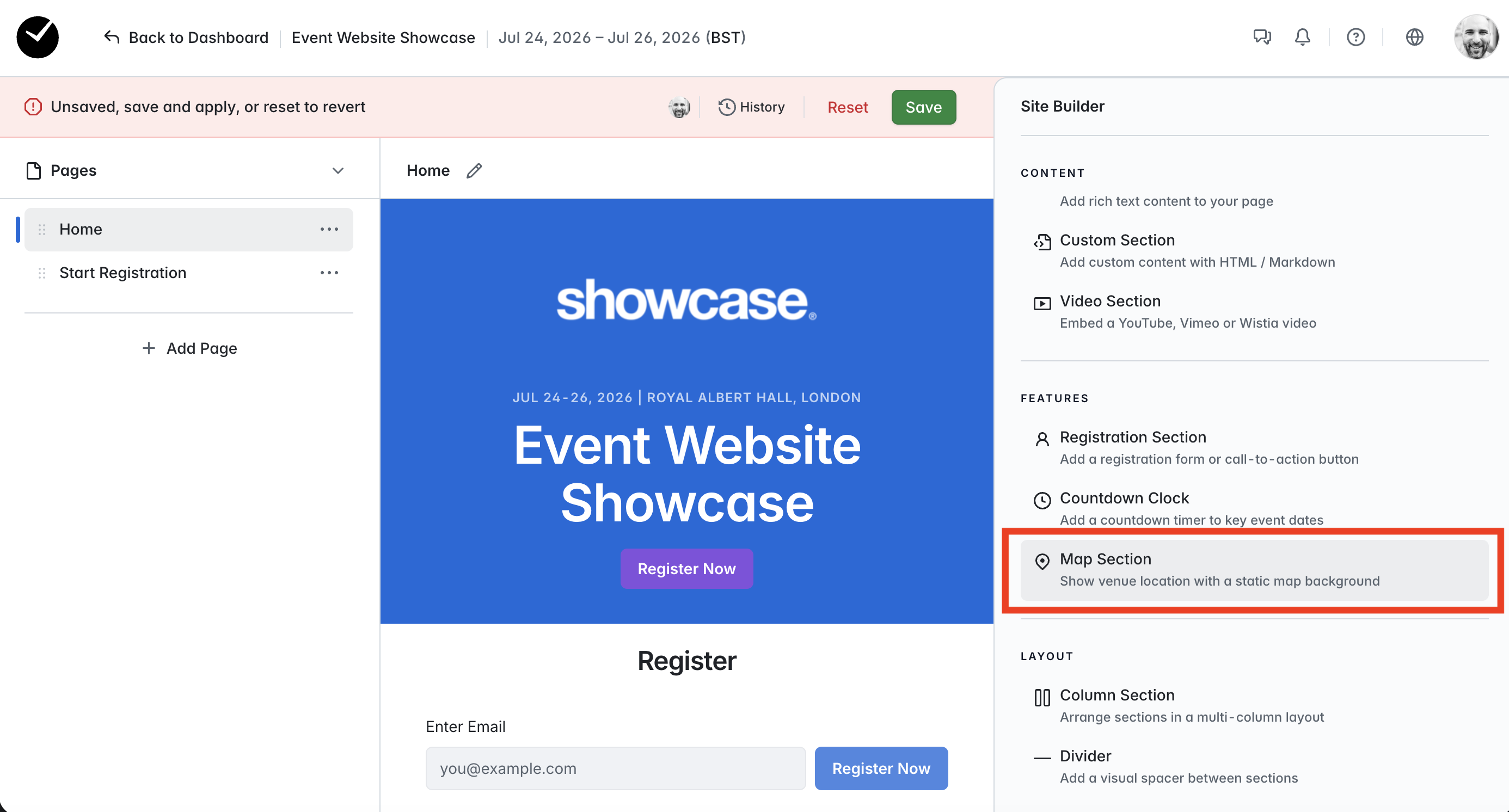
When you next enter the Event Website Editor, you will now see the 'Map Section' available for selection:
Click on this, and you will see a new Map section added to the center of the page:
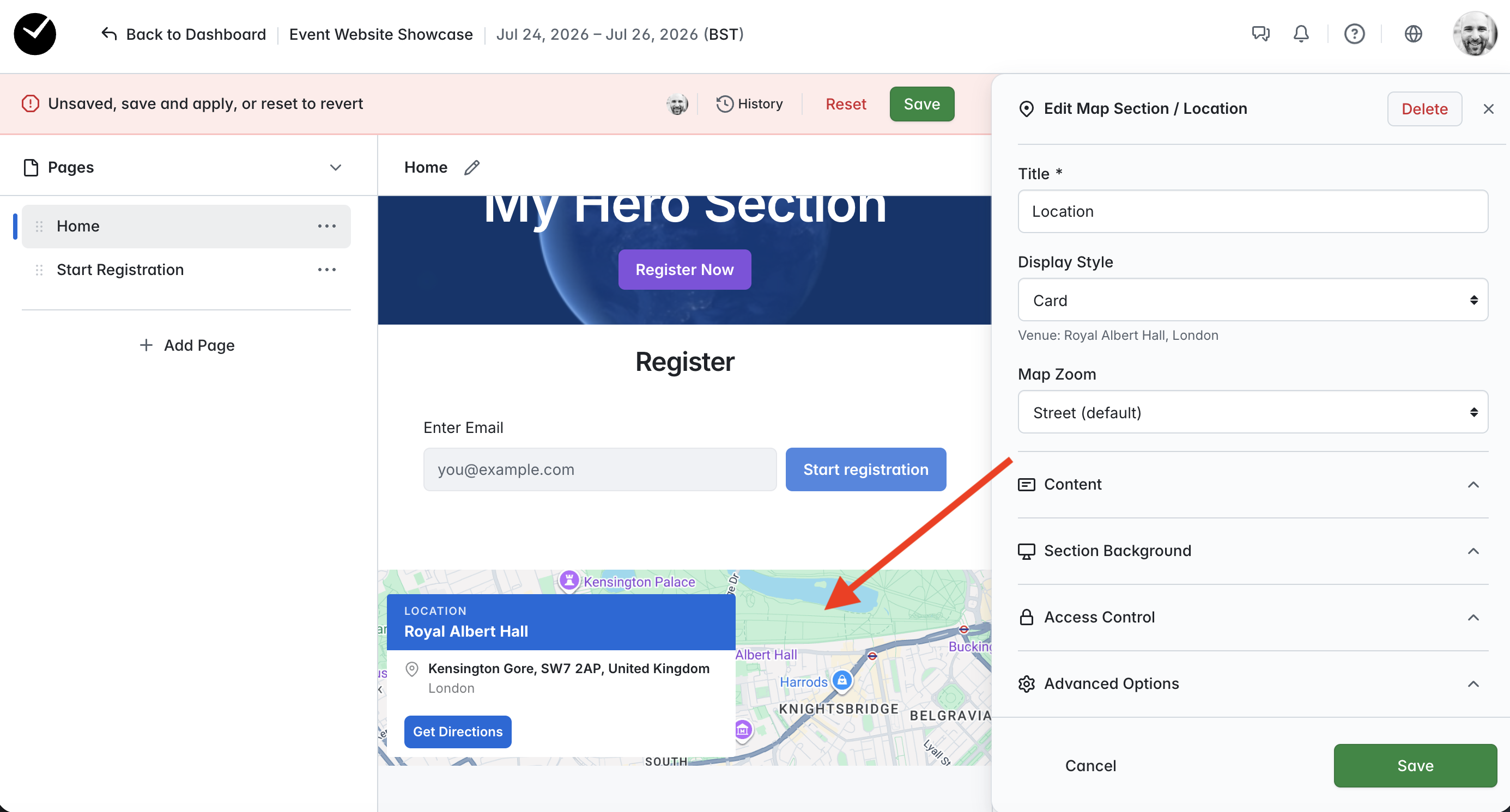
By default, we show a 'street' level image of the location for you, but you can toggle this by selecting a different zoom level using the 'Map Zoom' selector. You can also toggle the display style (eg 'Card'), edit the section title and add additional content under the 'Content' section of the editor window.
If you would rather show an image background instead of a map location, select the 'Section Background' option and upload your background image:
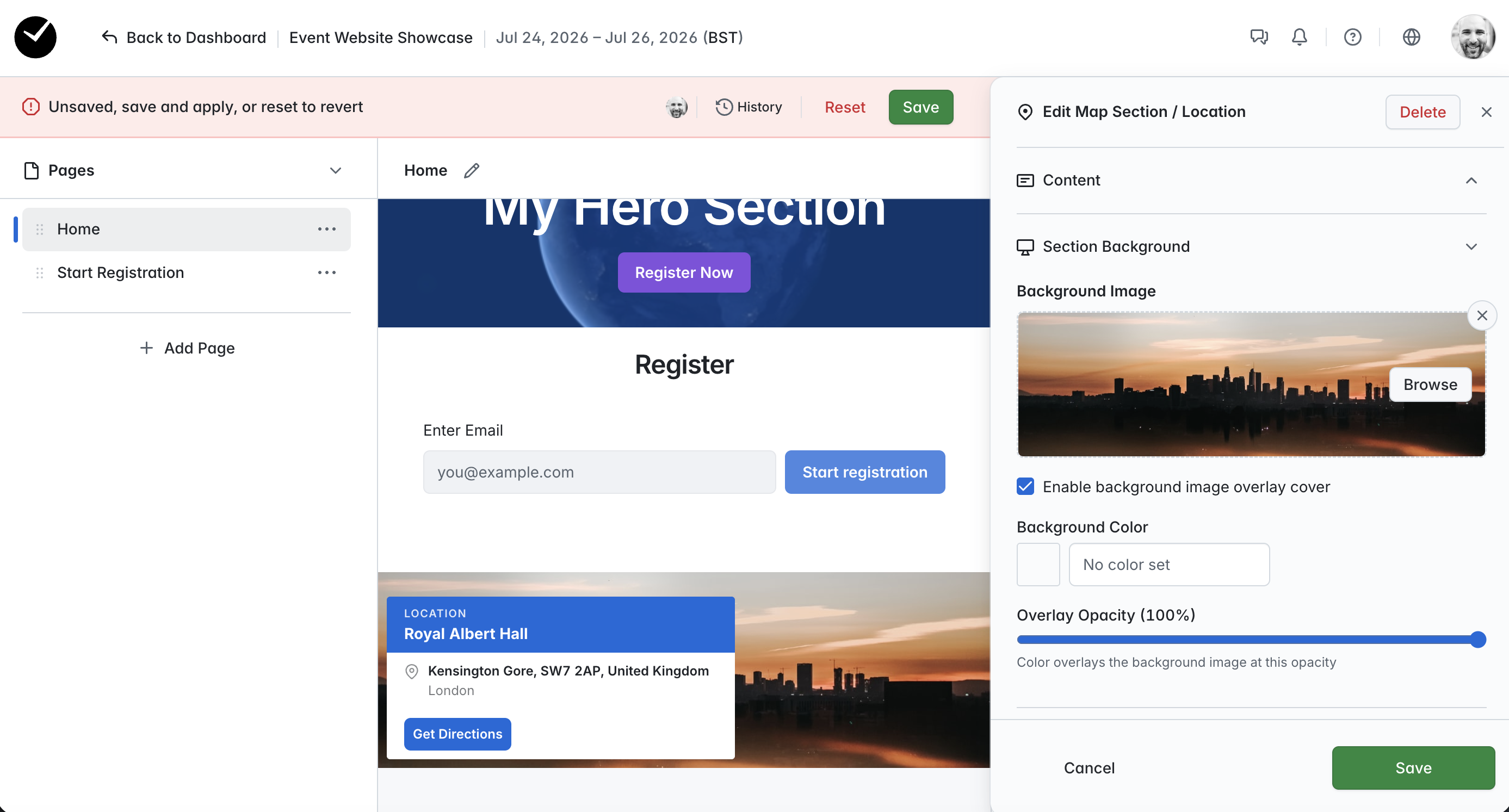
Attendees will still see the address and have the ability to access the 'Get Directions' button, but your selected image will replace the default Google Maps thumbnail.