.png)
Can I monitor email delivery statuses in getregistered?
Notes:
- Email delivery statuses must be enabled in your organization to view them. Please contact support if you wish to have the feature enabled for you.
- Only administrators and event administrator users can view email delivery statuses.
When interacting with your getregistered® admin area, we provide email delivery statuses across a number of areas in the application. This can be helpful for monitoring email delivery and troubleshooting delivery issues reported by attendees.
We offer a complete email 'log' in your Communications area, as well as 'scoped' email delivery statuses in your Registrations, Email Campaigns and Invitations area.
Viewing all email delivery statuses for your event in your 'Email Log'
When you enter the 'Communications' area of your event, if you select the 'Email Log' tab, you will see a list of all emails that have been generated for your event:
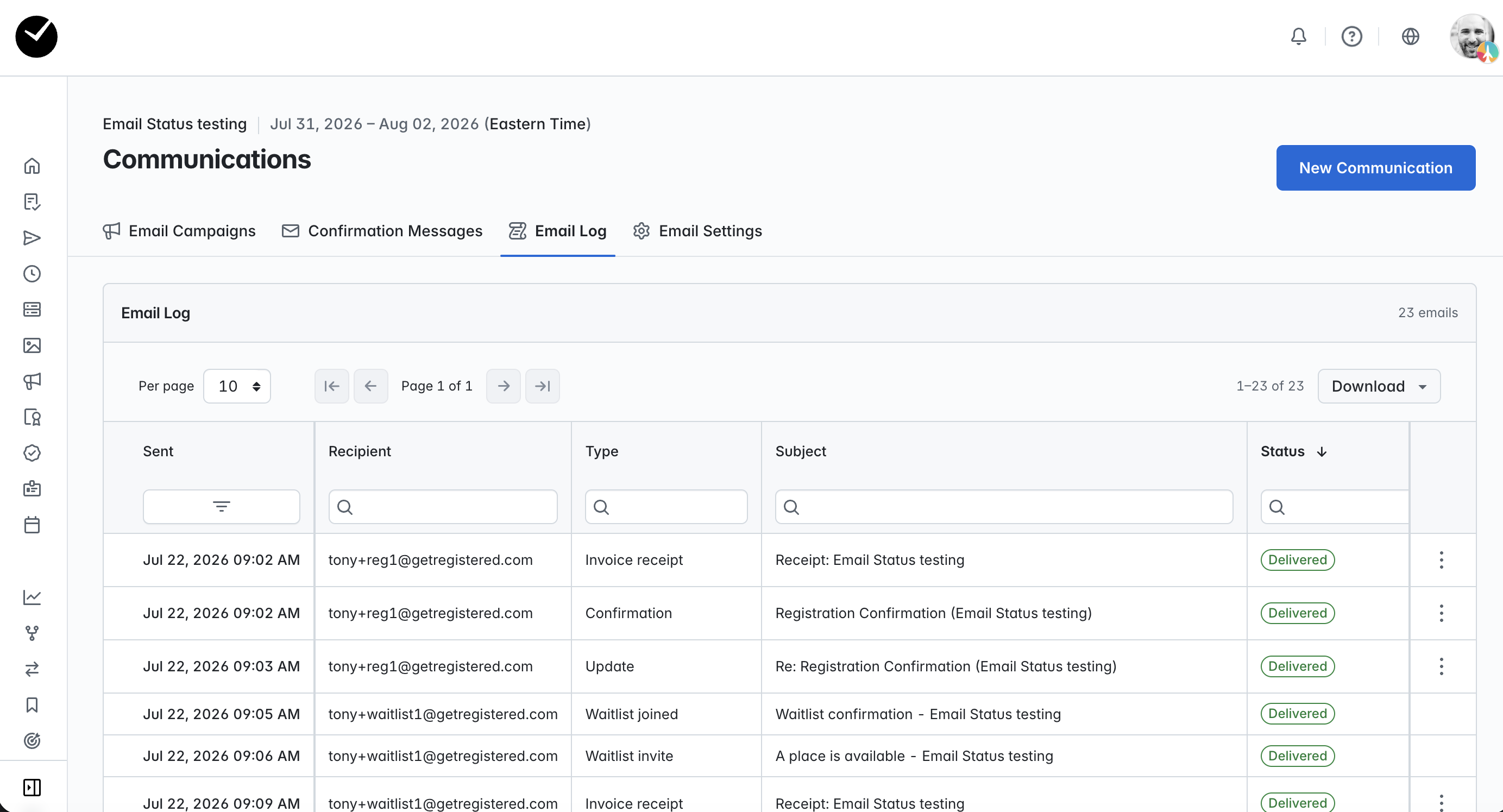
In here, you can view the status of all emails that have been sent, or attempted to be sent to attendees, with the ability to sort and filter as expected. You can also generate a report in CSV or XLSX format to view offline if required. Any emails that have been returned as rejected/bounced will return details in the 'Detail' column provided.
Viewing all email statuses for an an individual attendee
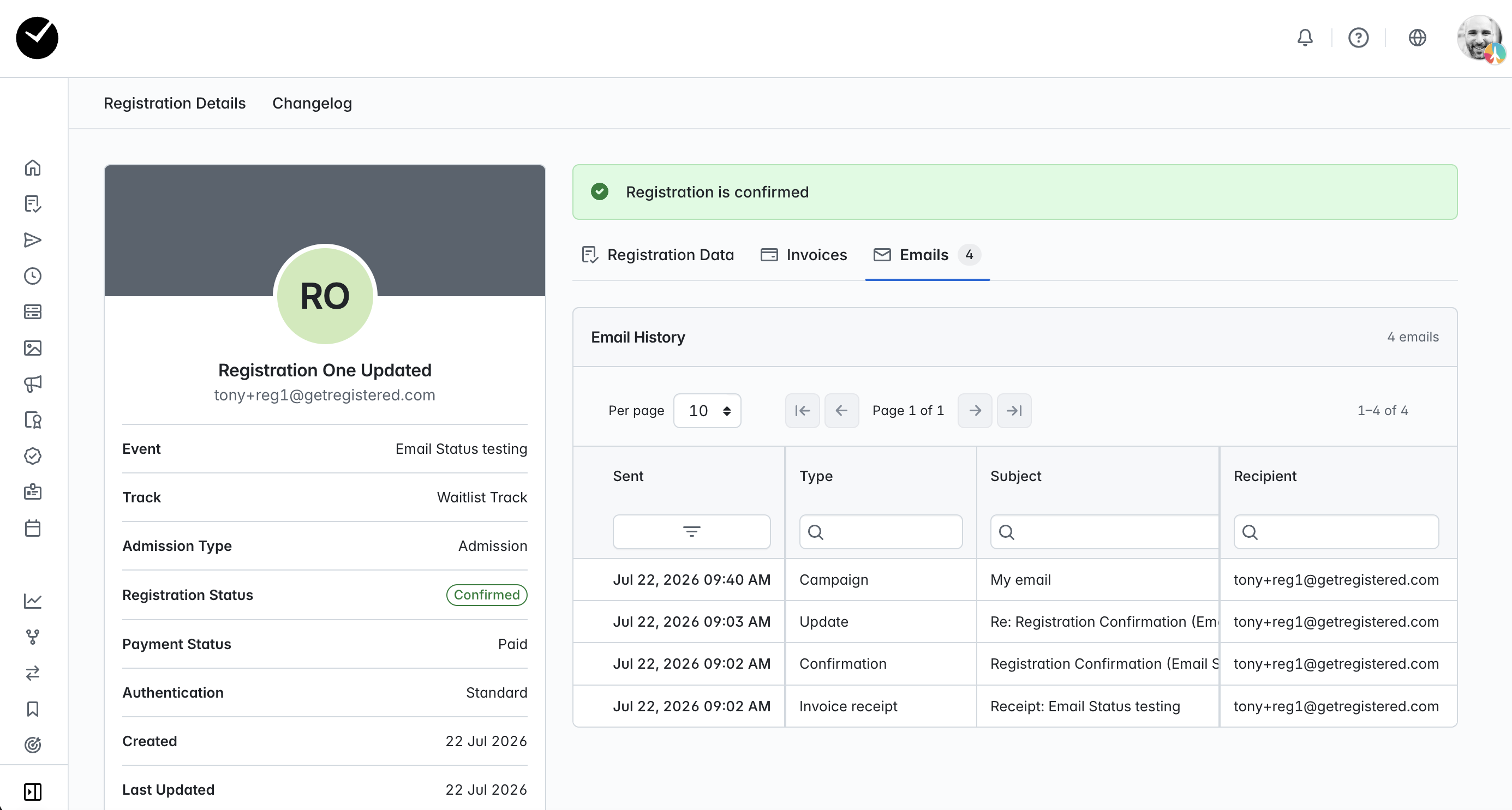
When you enter the registration 'show' page for an attendee, if you select the 'Email' tab, you will presented with a table displaying the status of all emails that have been sent, or attempted to be sent to the attendee, with the ability to sort and filter as expected. Any emails that have been returned as rejected/bounced will return details in the 'Detail' column provided.
Viewing all email statuses for an an individual invitation
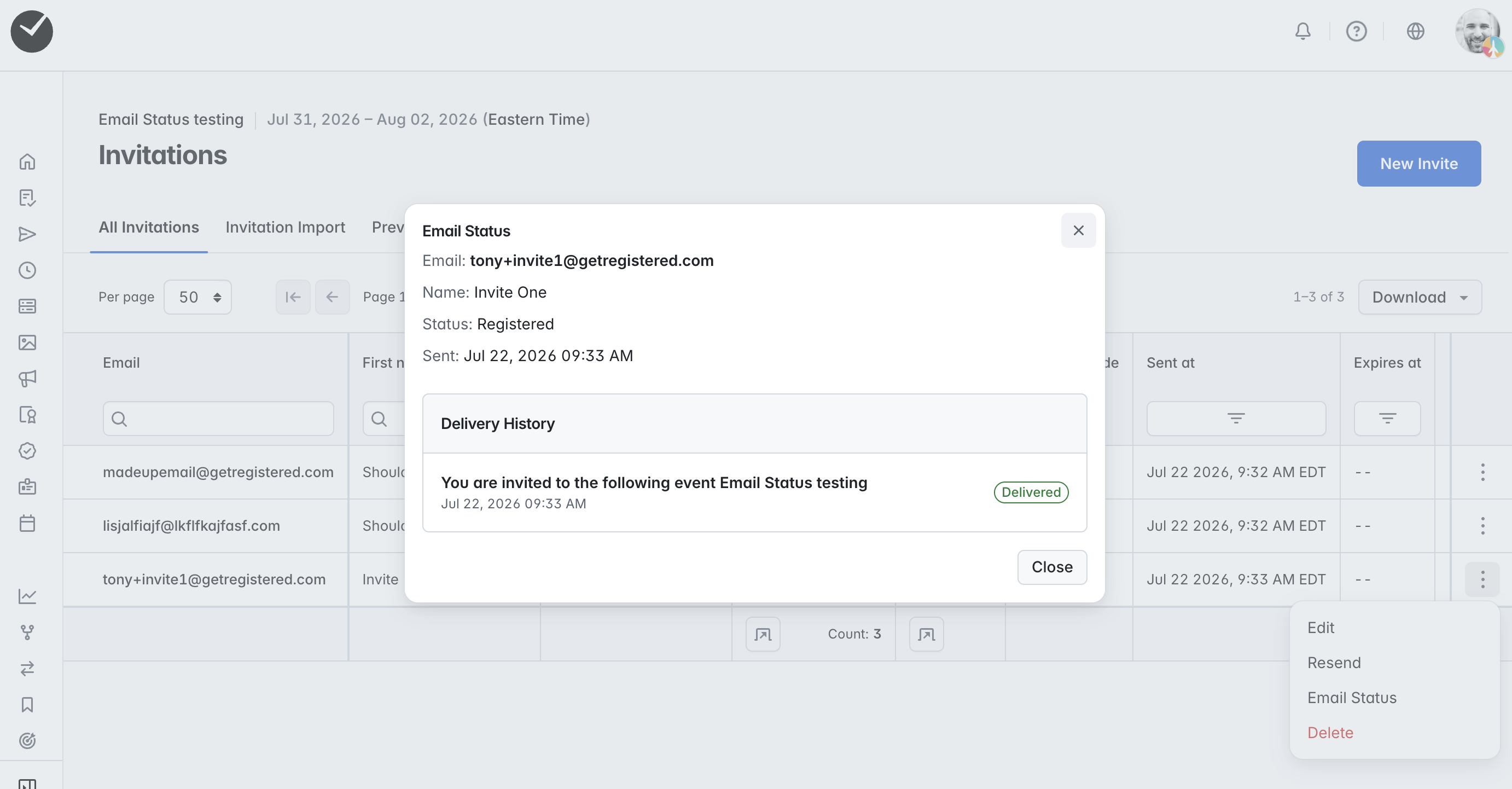
When you enter the Invitations area of your event, click on the 3 dots at the end of the row of the invitation you wish to track and select 'Email Status':
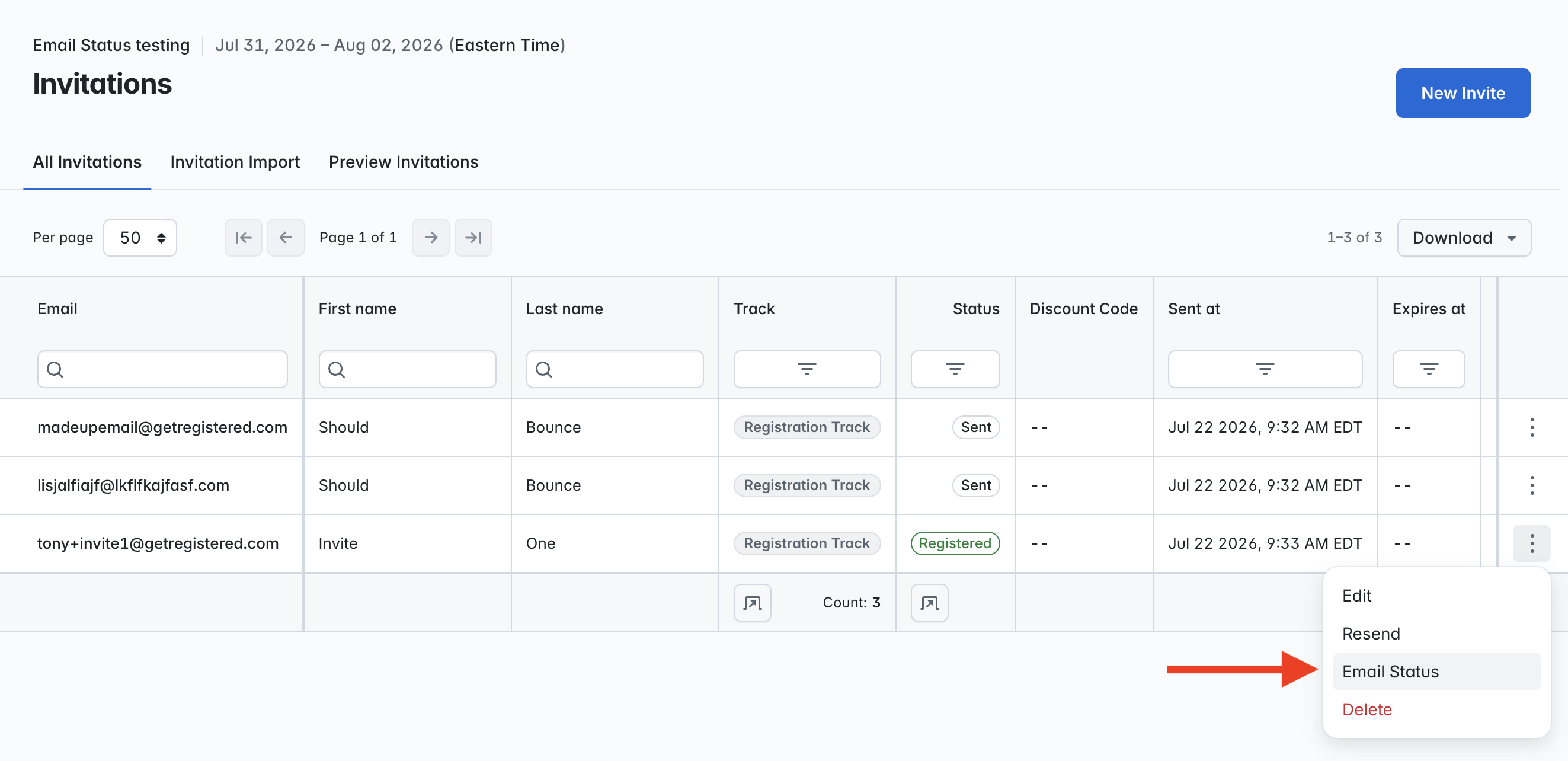
You will then see a new window displayed, detailing the invitee, status and delivery history:
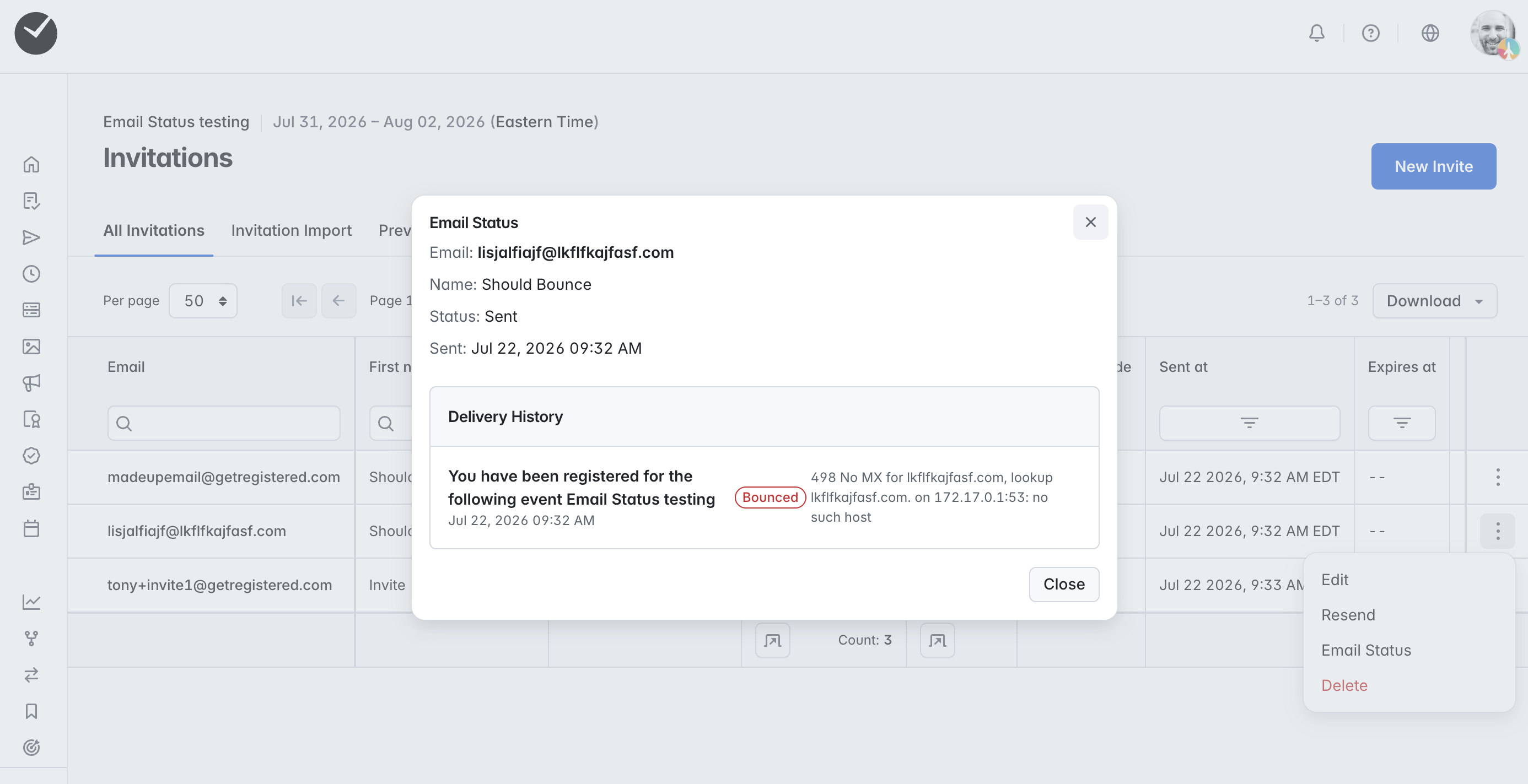
If there was an issue with the delivery of the invitation email, this will be detailed in the 'Delivery History' section:
Viewing all email statuses for an an email campaign
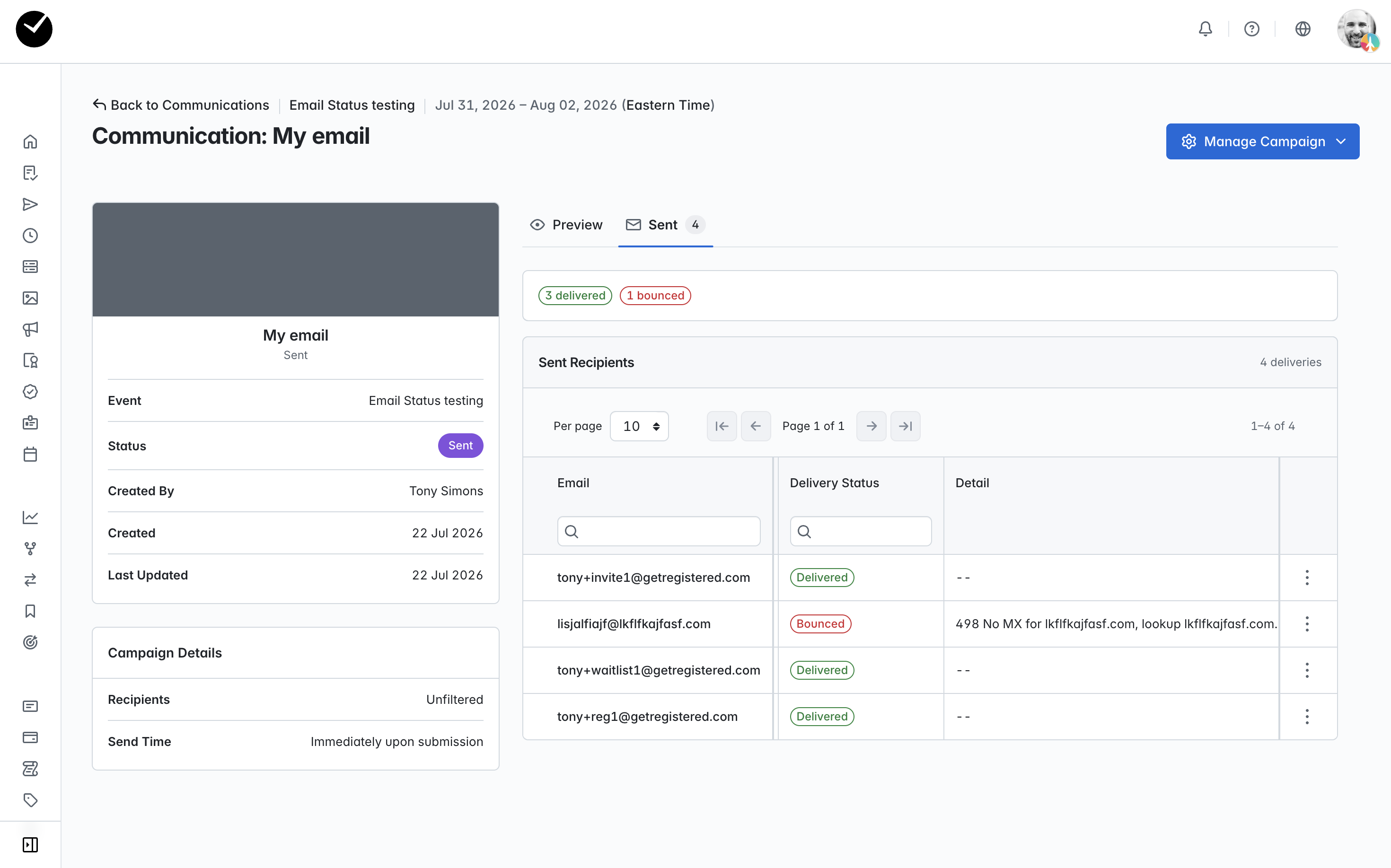
When you are viewing an email campaign, and your campaign is active (sending), clicking on the 'Sent' tab will display a list of all recipients and at the top of the page, you will see a tally of successful/failed deliveries:
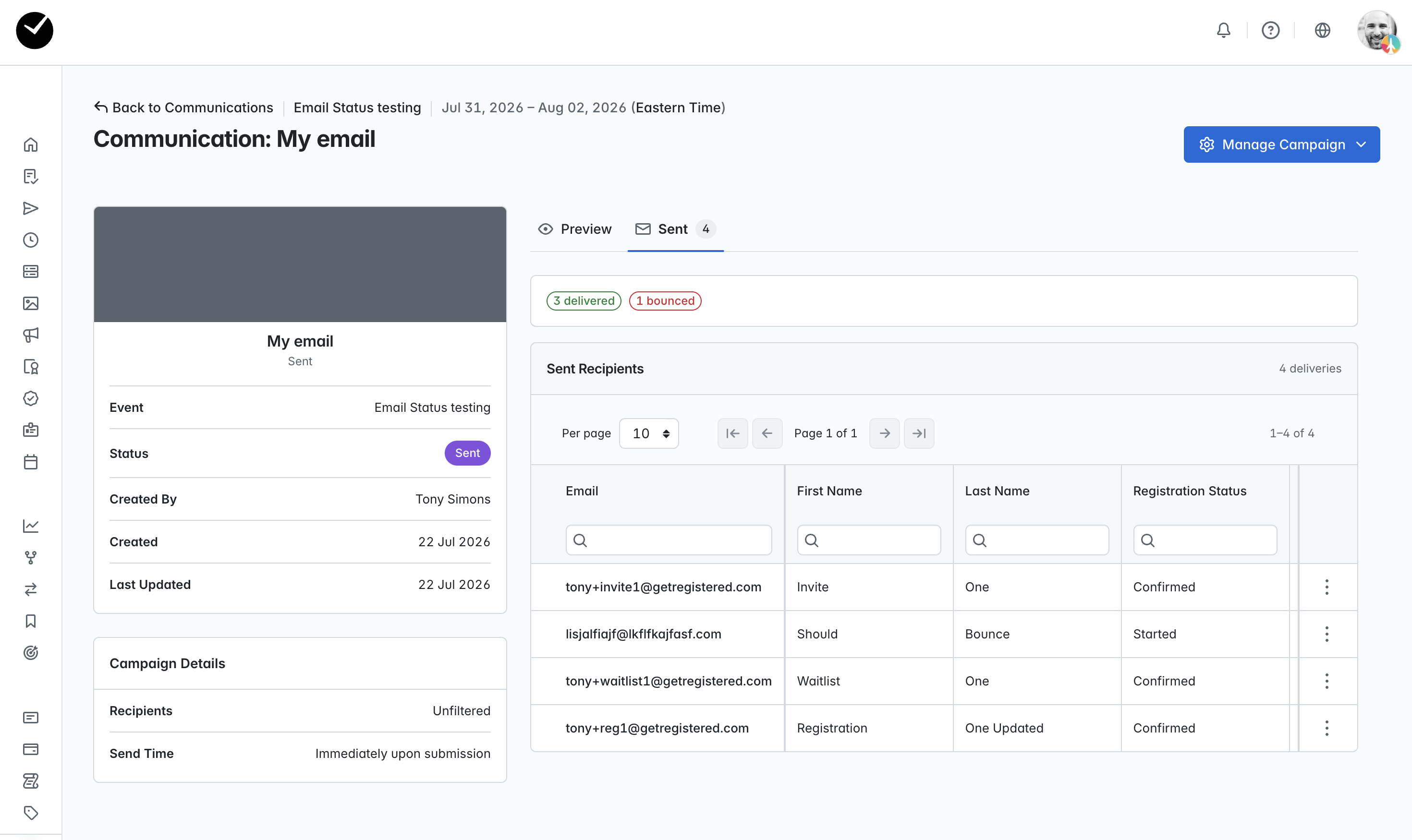
This table can be sorted and filtered as expected, and if you scroll the table to the left, you will see the individual 'Delivery Status' of each email, including failure details in the 'Details' column if the email was not delivered as expected: