.png)
What is the 'Calendar' area?
Note: To use the 'Event Requests' feature, it must be enabled for your organization first. Please contact support if you are interested in activating the feature for your organization.
The 'Calendar' area is only accessible to administrators.
The 'Calendar' area is available to you at any time by clicking on the 'Calendar' tab of your Organization Dashboard:
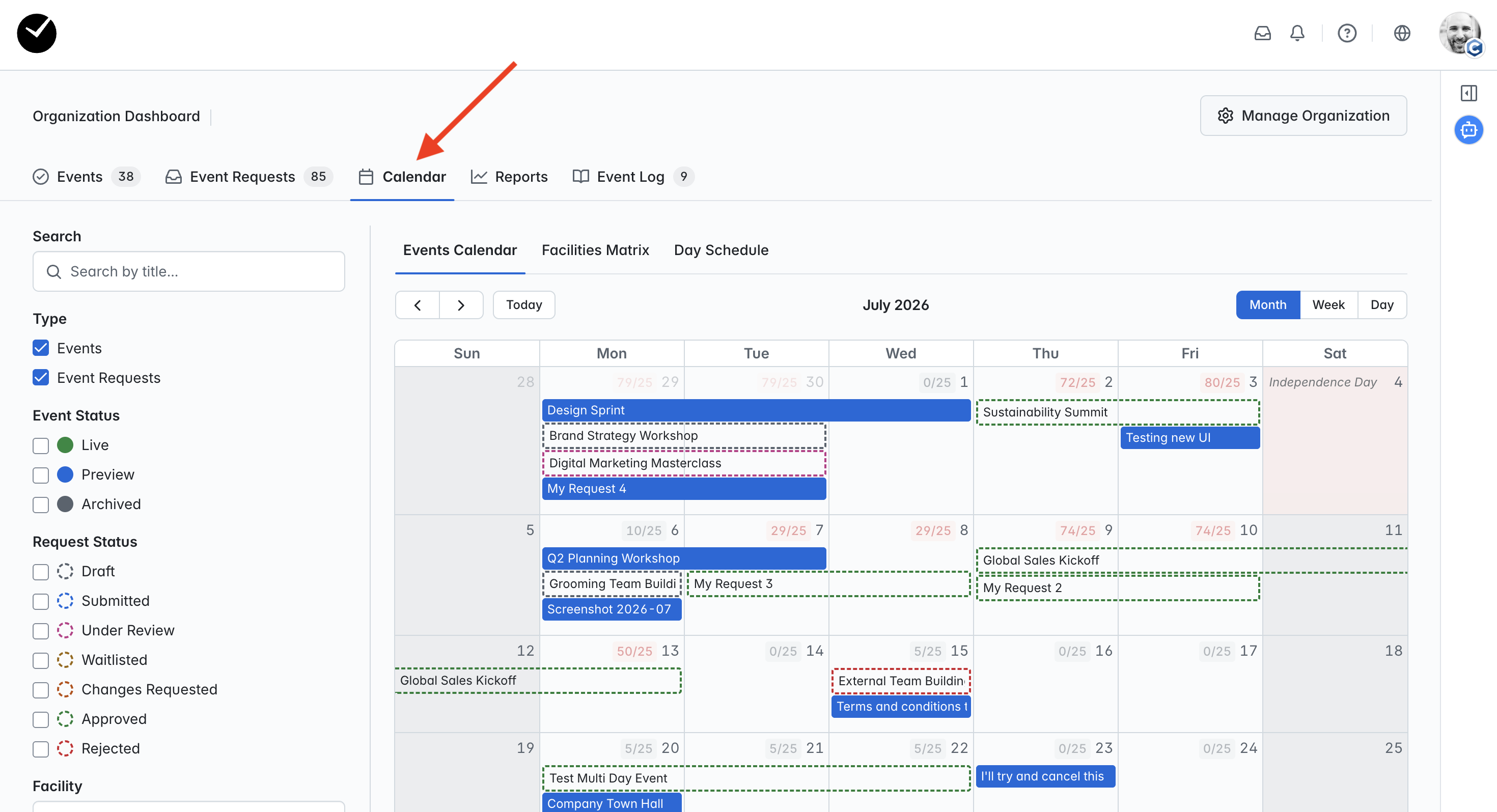
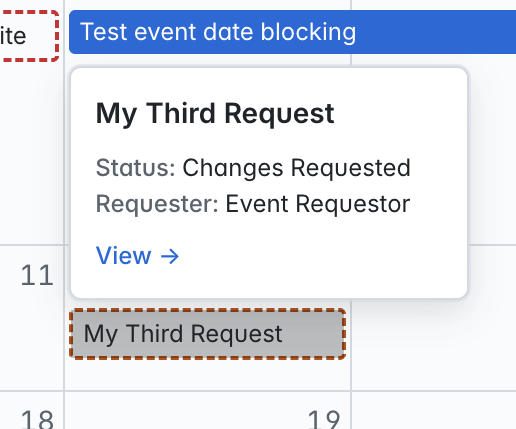
In here, you can view all converted events and event requests based on the dates submitted for them. Converted events will show as solid blue, and event requests will have a dotted outline. You can view a brief summary of the event/request by clicking on it:
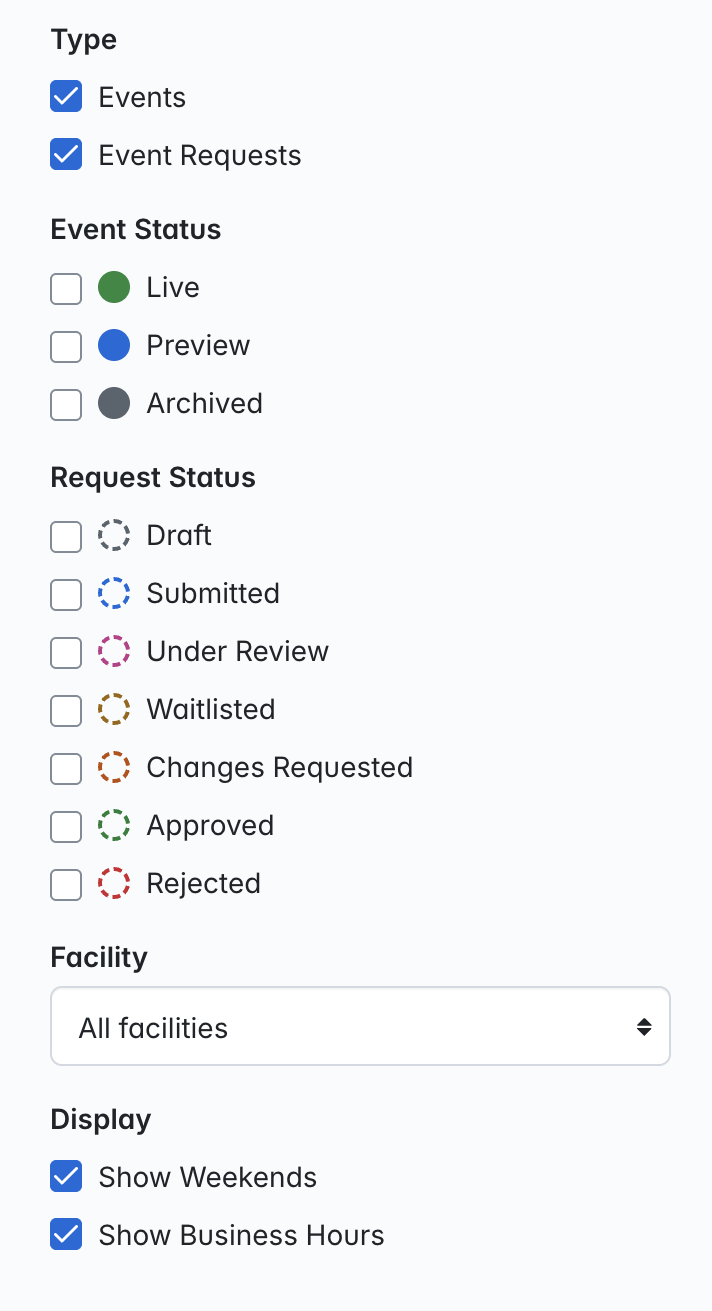
You can also search and filter the calendar view by using the toolbar on the left hand side of the page:
What is the 'Facilities Matrix'?
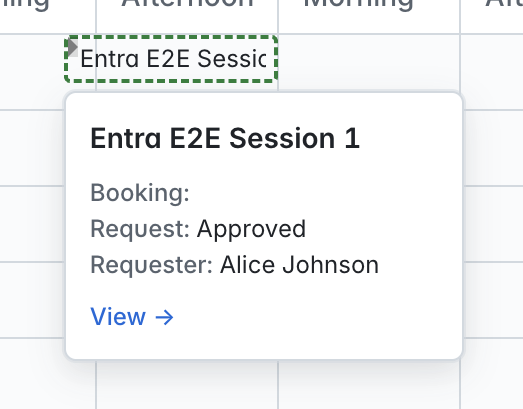
The 'Facilities Matrix' allows you to easily view currently requested and booked Facilities for your organization's events/requests:
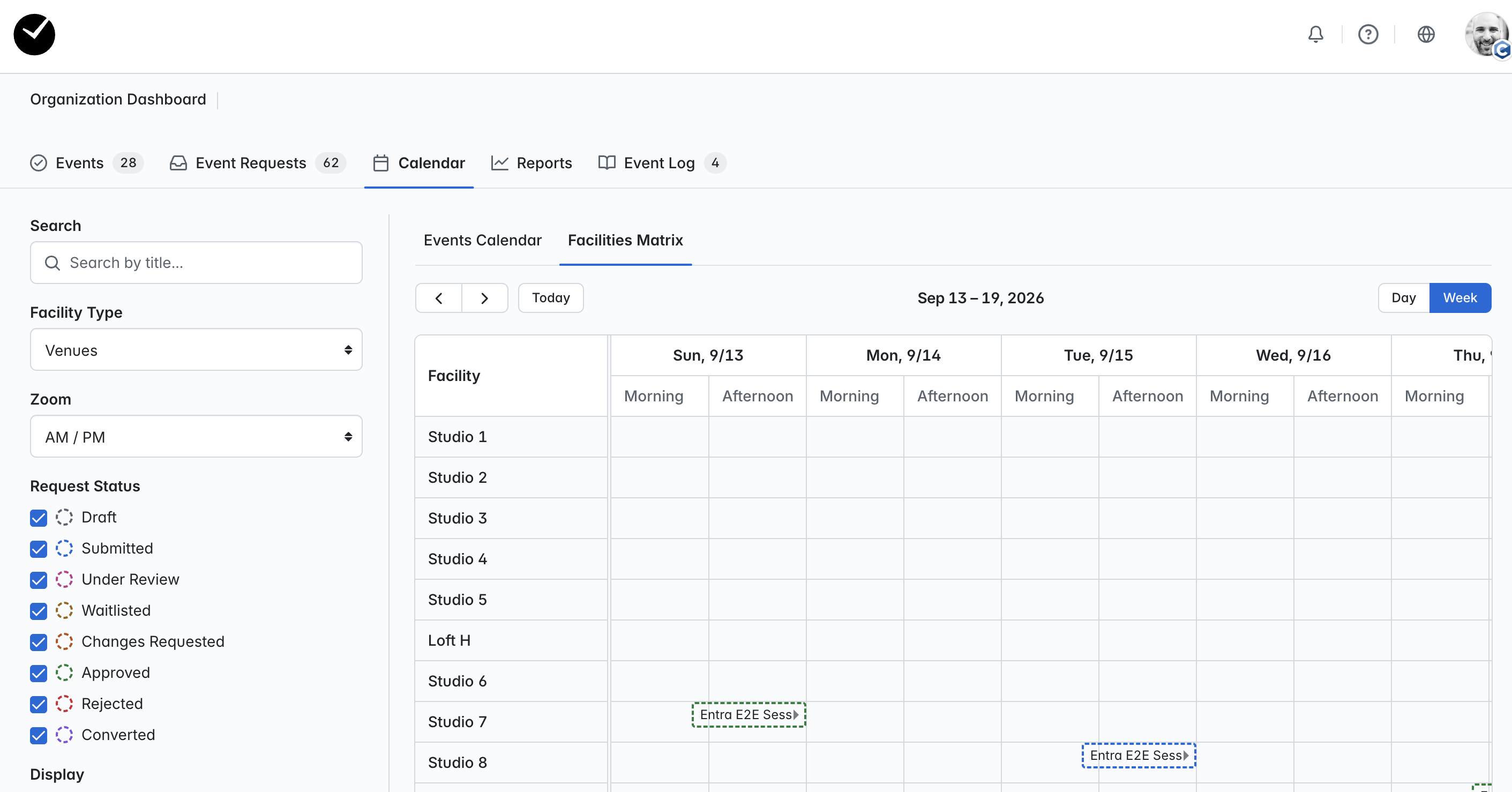
Converted events will show as solid blue, and event requests will have a dotted outline. You can view a brief summary of the event/request by clicking on it:
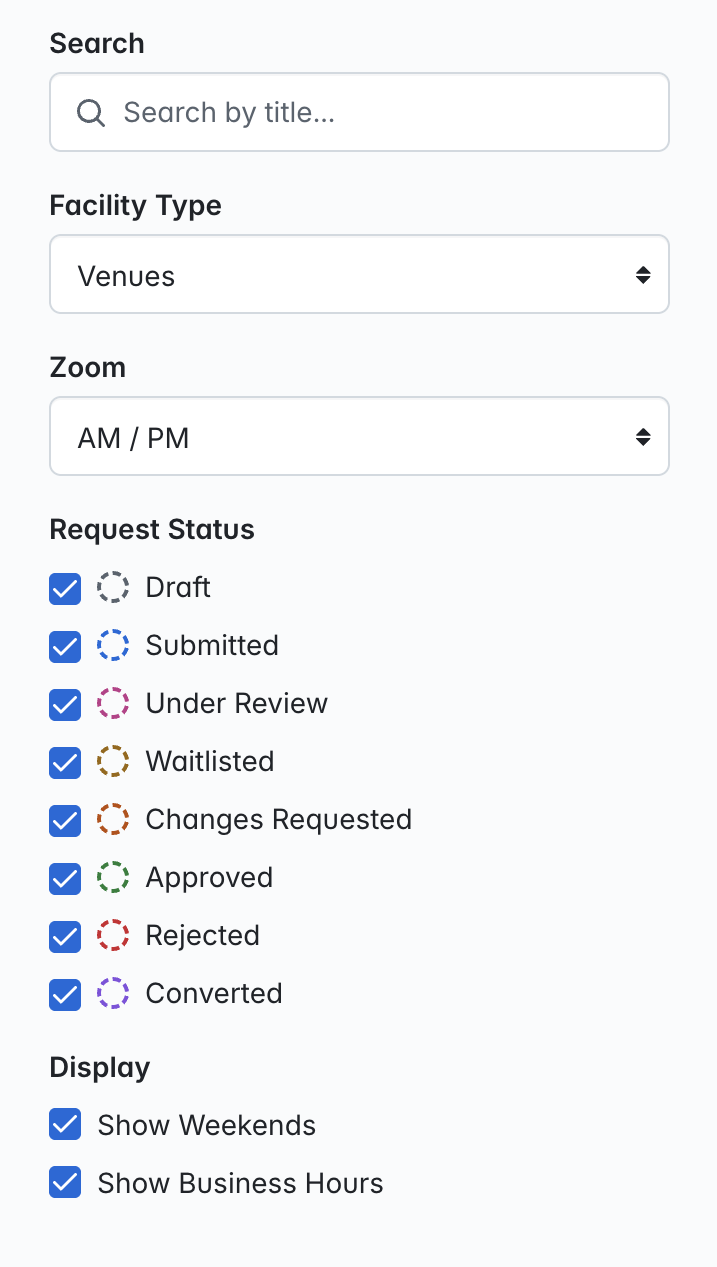
You can choose which Facilities are returned on the Facilities Matrix using the 'Facility Type' toggle, as well as search and filter as required:
What is the 'Day Schedule'?
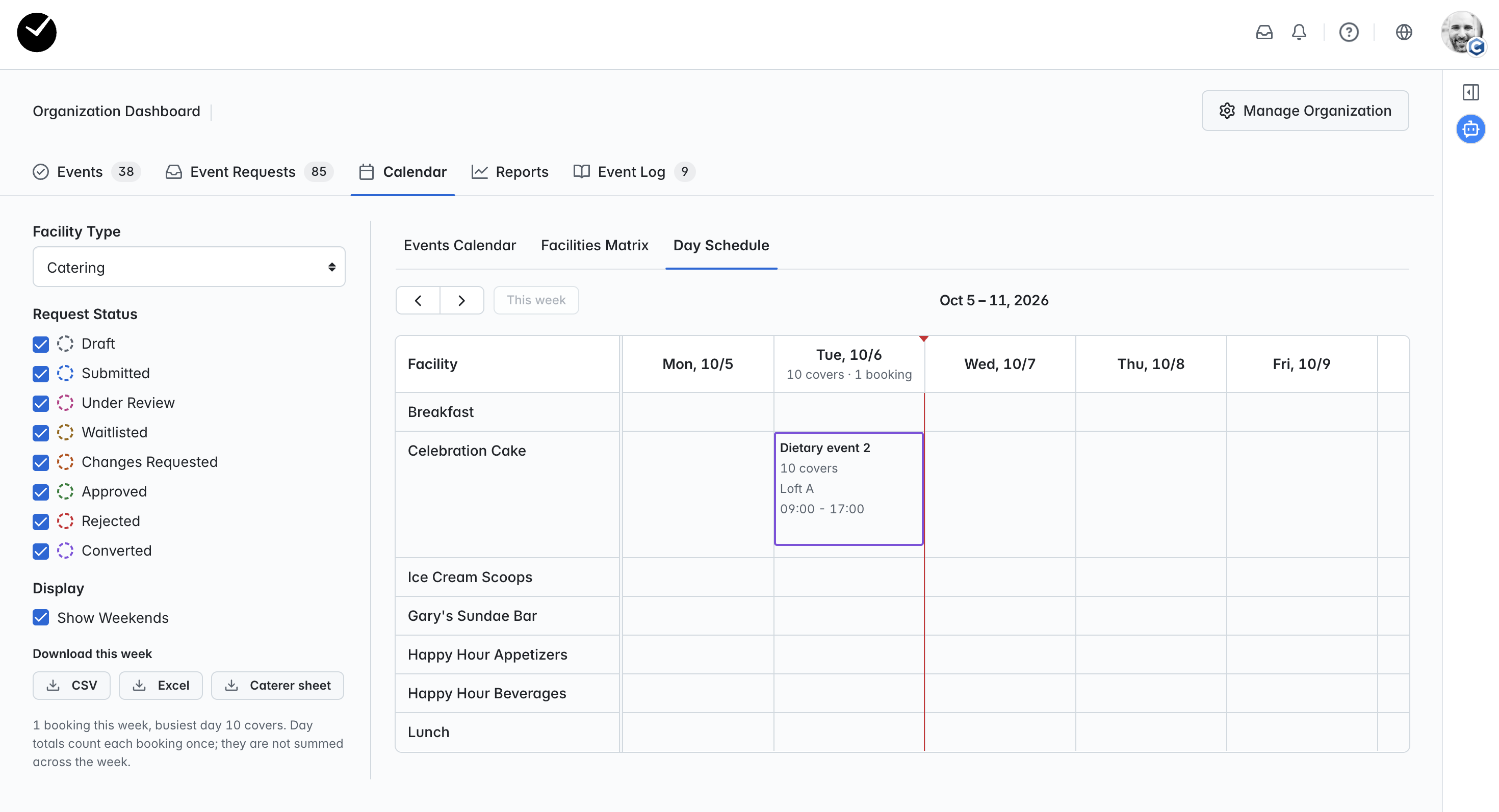
The 'Day Schedule' allows you to easily view the 'runlist' per day for your event requests and converted events across your organization, providing a snapshot of the event requirements:
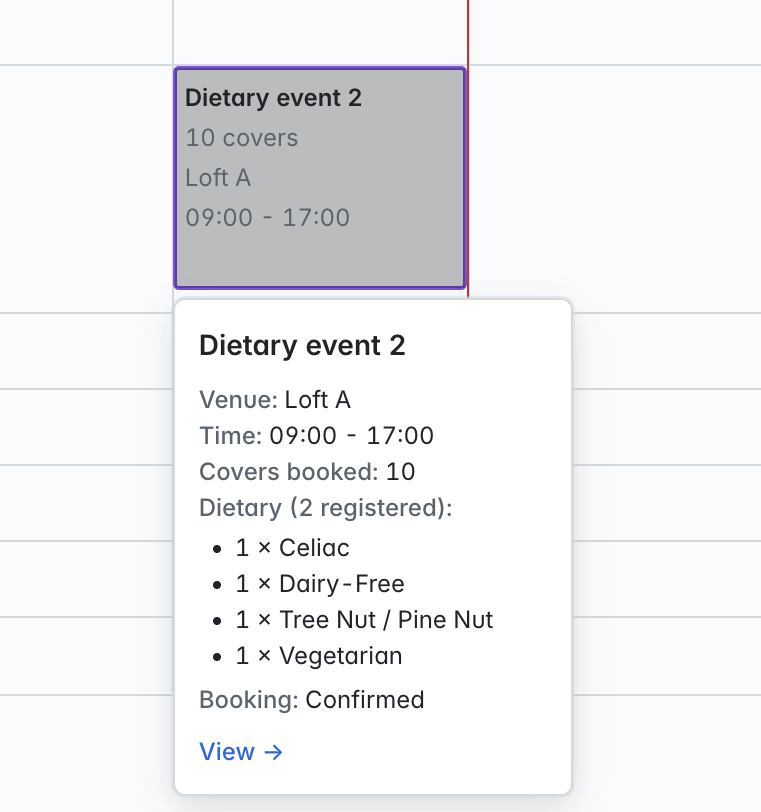
Converted events will show as solid blue, and event requests will have a dotted outline. You can view a brief summary of the event/request by clicking on it:
You can choose which Facilities are returned on the Day Schedule using the 'Facility Type' toggle (default setting is 'Catering'), as well as search and filter as required:
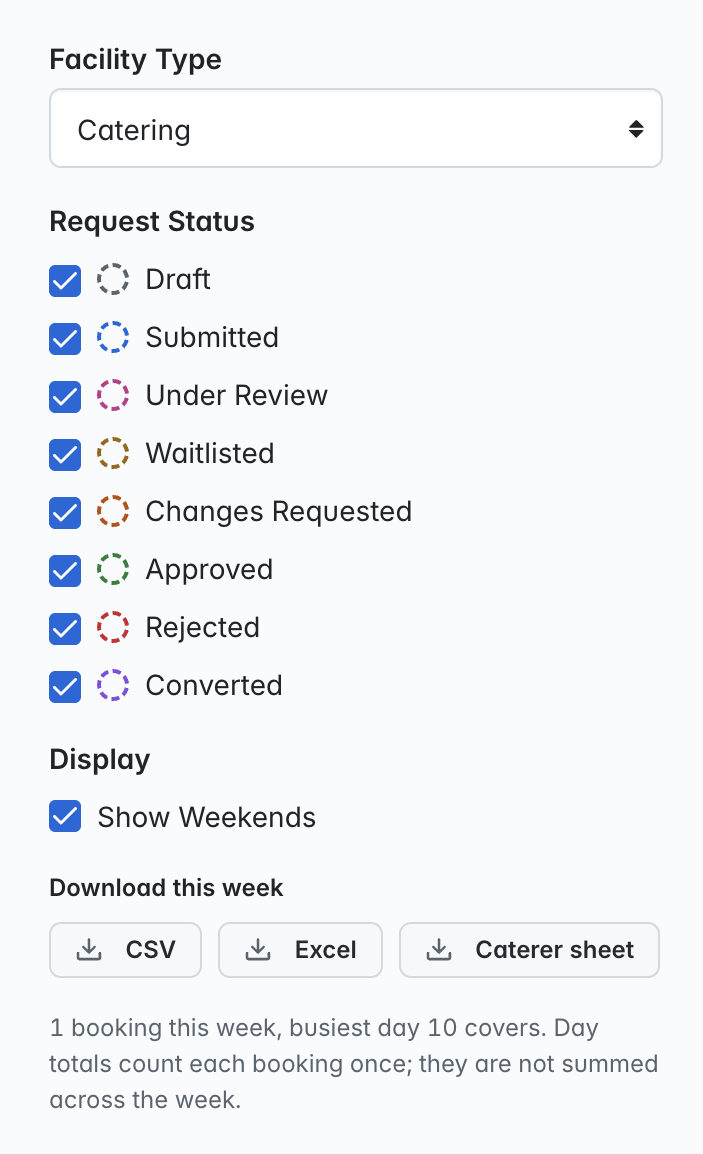
You will see at the bottom of this column that you can download a report for the currently selected week in CSV and XLSX formats, as well as a 'Caterer Sheet', that you can provide to your catering suppliers so that they can prepare for covers for your events, as well as observe any dietary requirements needing to be accommodated for.