.png)
Integrations: AllFly Travel
Connect AllFly to getregistered
AllFly books and manages travel for your attendees. Once you connect it, getregistered sends your registered attendees to your AllFly event, and their flight bookings appear on each registration in getregistered.
Before you start
- The AllFly integration needs to be switched on for your organization. If the AllFly card on your Integrations page says to contact us, email [email protected] and we'll enable it.
- You need permission to manage integrations in getregistered.
- You need an AllFly account with access to API Key Management, and an event already created in AllFly.
Step 1: Get your AllFly API key
- Sign in to AllFly.
- Go to Settings → API Key Management.
- Create a new API key and copy it. Keep it somewhere safe, because you'll paste it into getregistered next.
Step 2: Connect your AllFly account
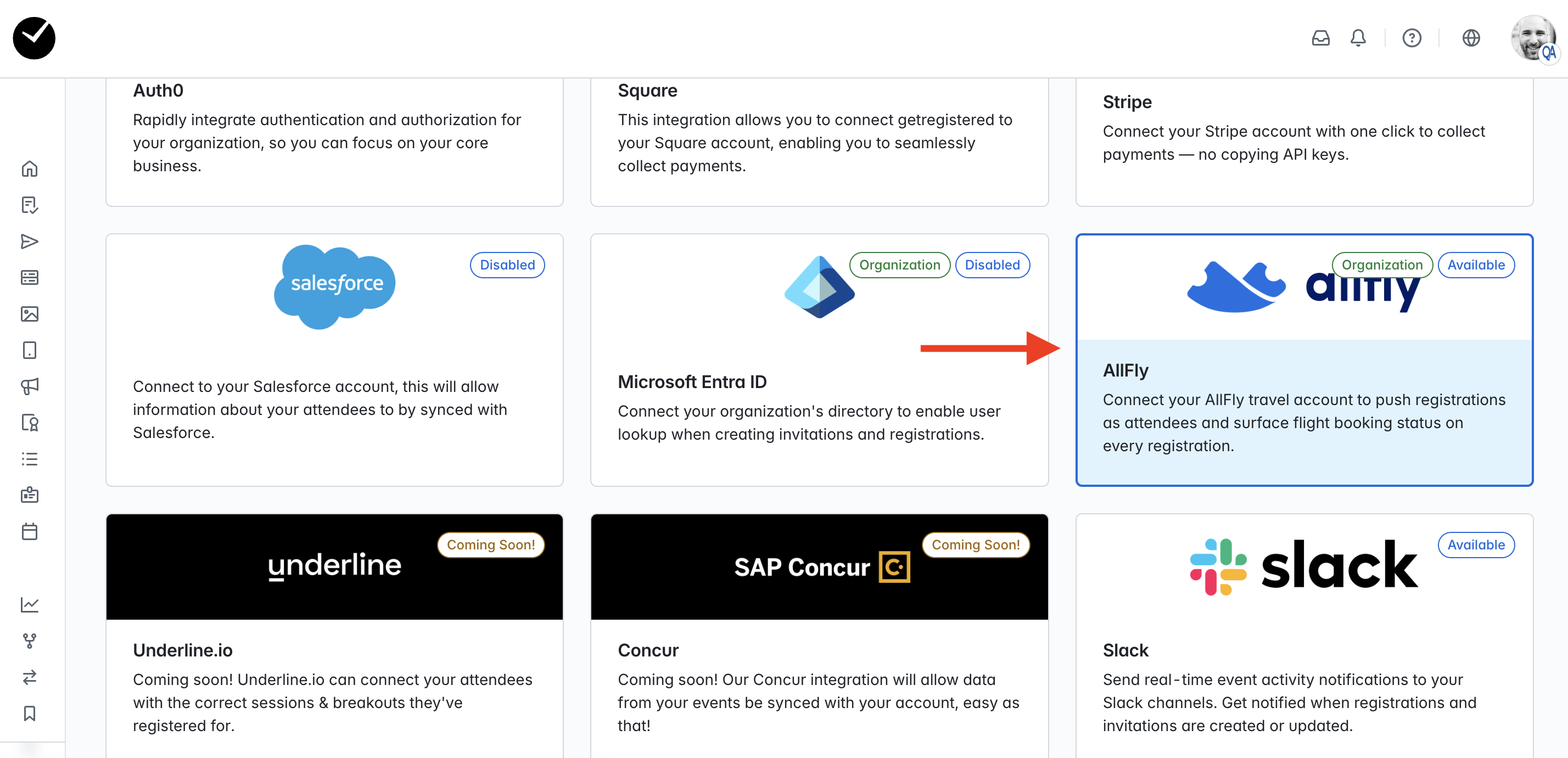
- In getregistered, enter the Integrations area and select the AllFly tile. It should display an 'Active' label on the tile:
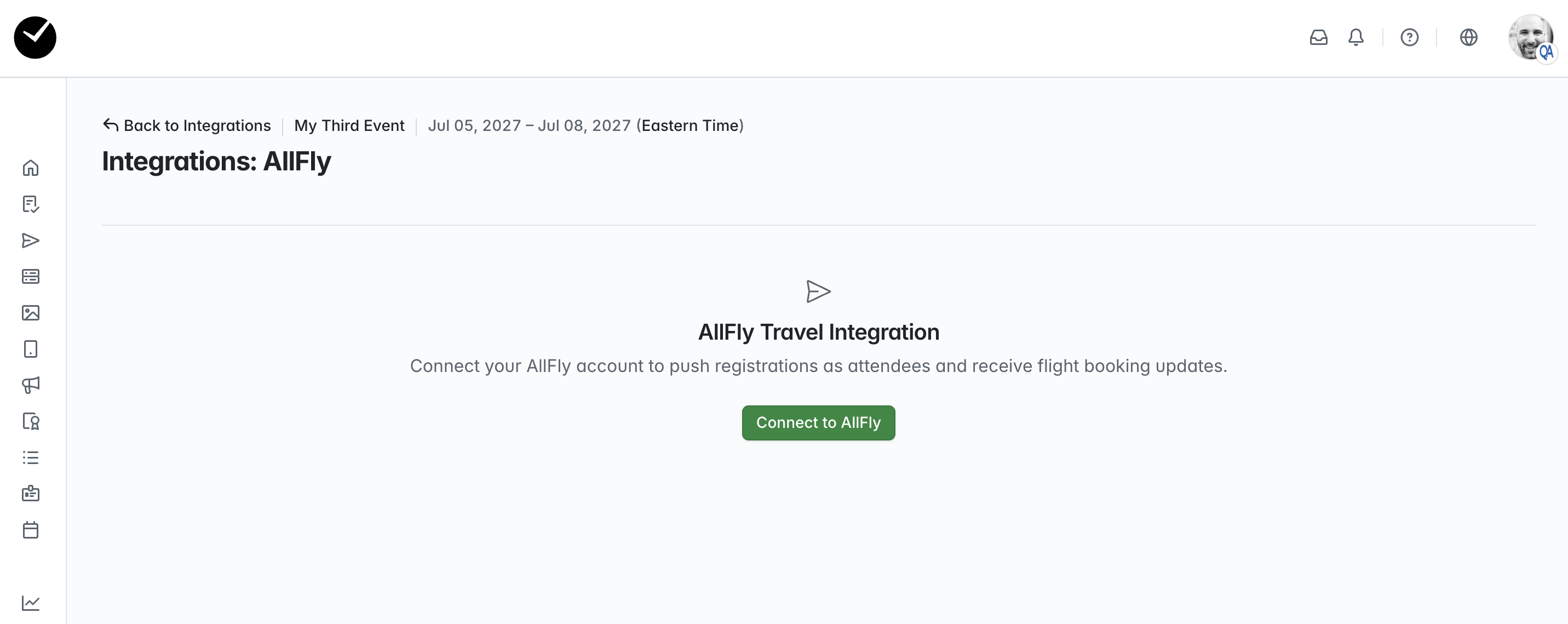
- On the following page, click on the Connect to AllFly button:
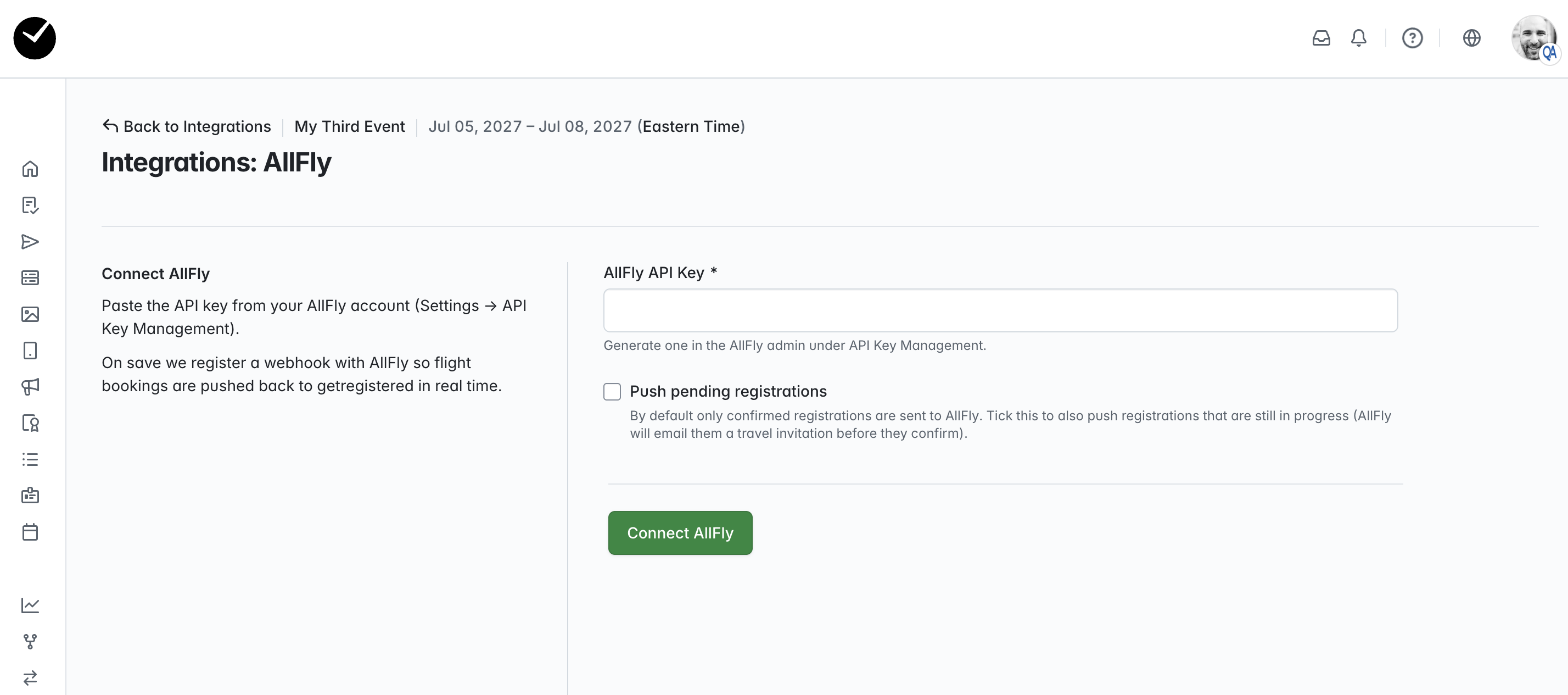
- Paste your API key into AllFly API Key field. Leave Push pending registrations unticked unless you want unconfirmed registrations sent too (see Which registrations are sent? below). Select Connect AllFly to confirm your connection:
-
You'll see AllFly: Connected displayed, along with the email of the person who connected it.
Your AllFly account is connected for your whole organization, so you only need to do this once. Each event is then linked to its own AllFly event (Step 3).
Step 3: Link your event
- On the AllFly integration page, click Link to an AllFly event.
- Search for your AllFly event by name.
- Click Link this event next to the right one.
You'll see Linked to: [your AllFly event]. From now on, getregistered sends every confirmed registration on this event to AllFly automatically.
Already have registrations? Click Re-sync all attendees to send everyone who registered before you linked the event.
What your attendees will experience
When an attendee is sent to AllFly, AllFly emails them an invitation to book their travel. Let your attendees know to expect this email so it doesn't come as a surprise.
Seeing flight bookings in getregistered
Open any registration on a linked event to see the AllFly travel panel. Its status shows how far the attendee has got:
| Status | Meaning |
|---|---|
| Pending sync | The attendee is being sent to AllFly. |
| Awaiting booking | The attendee is in your AllFly event but hasn't booked a flight yet. |
| Flight Booked ✓ | The attendee's ticket has been issued. |
Once a flight is booked, the panel shows the booking reference (PNR), each flight with its times and airports, seat numbers, and the passenger's name.
The passenger is whoever was named on the AllFly booking, so their name or email can differ from the attendee's registration details.
Which registrations are sent?
- By default, only confirmed registrations are sent to AllFly.
- If you tick Push pending registrations, registrations that haven't been completed yet are sent too. Those attendees receive AllFly's travel invitation before they finish registering.
- If a registration is cancelled, getregistered removes that attendee from your AllFly event. If they've already booked a flight, AllFly keeps the booking. Manage that cancellation in AllFly.
Changing or disconnecting
- Use a different AllFly account: on the AllFly integration page, click Update API Key and paste the new key. Bookings continue to flow to getregistered from the new account.
- Stop syncing one event: click Unlink. Registrations already sent to AllFly stay in AllFly.
- Disconnect entirely: click Disconnect. getregistered stops sending attendees to AllFly, and flight bookings stop appearing in getregistered.
Troubleshooting AllFly
"Could not connect to AllFly: HTTP 401" when connecting
AllFly didn't accept the API key. Check that you copied the whole key, and that it hasn't been deleted in AllFly. If it still fails, create a new key and try again.
I can't find my event when linking
Check that the event exists in the AllFly account you connected, then try searching for part of its name.
There's no AllFly travel panel on a registration
The event isn't linked to an AllFly event yet. See Step 3.
An attendee isn't showing in AllFly
Check whether their registration is confirmed. Unless you've ticked Push pending registrations, only confirmed registrations are sent. To send anyone who was missed, click Re-sync all attendees.
An attendee booked but getregistered still says Awaiting booking
The status changes once AllFly issues the ticket, which can take a while after the booking is made. If it still hasn't changed after a few hours, contact [email protected] with the event name and the attendee's email.
The attendee cancelled their flight in AllFly but getregistered still shows it booked
getregistered doesn't show AllFly cancellations yet. Check AllFly for the latest status of a booking.